What is IPS in mouse? Ultimate Breakdown of Sensor Speed vs DPI
Understanding exactly what is IPS in mouse hardware separates informed power users from victims of aggressive marketing. Most consumers and generic reviewers mistakenly believe that sensor resolution, marketed as Dots Per Inch (DPI), dictates peripheral quality. The industry assumes resolution is the ultimate performance metric.
It is completely wrong. Tracking velocity limits define the absolute mechanical ceiling of any optoelectronic device.
When a peripheral abruptly loses spatial tracking during a high-speed physical swipe, the catastrophic failure is rarely tied to pixel density. The root cause is the sensor’s inability to process high-frequency surface displacement.
This exhaustive research report deconstructs the hardware architecture, Digital Signal Processing (DSP) algorithms, and optical physics that govern tracking velocity. By moving past surface-level specifications, the analysis reveals exactly how optoelectronic kinematics dictate peripheral reliability.
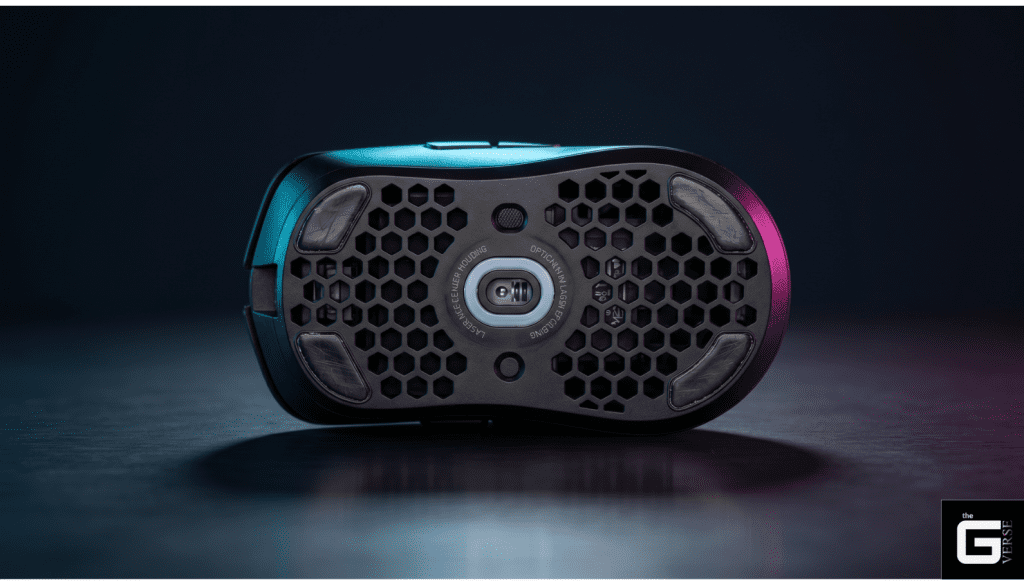
The Absolute Speed Limit: IPS isn’t just a basic speed score; it’s the physical breaking point of the camera inside your mouse (the definitive mechanical threshold of an optical sensor).
When the Brain Breaks: It measures how fast you can swipe your hand before the mouse’s internal chip can no longer stitch together the pictures of your desk (the Digital Signal Processor or DSP failing to correlate surface image frames).
Speed vs. Sensitivity: Marketing focuses on how sensitive the mouse is (DPI or spatial resolution), but tracking speed (IPS or temporal tracking velocity) is what actually keeps your aim perfectly synced during violently fast hand movements (1:1 hardware correlation under extreme biomechanical acceleration).
The Standard for Pros: Serious gamers need an IPS over 400, paired with fast communication to the computer (optimal MCU polling), to stop the cursor from freezing, losing information, or wildly shooting off-screen (preventing data starvation and algorithmic spin-outs).
Core Definition: What Does IPS Stand For in Mouse Specs?
The acronym dictates a hard, uncompromising mechanical threshold. To understand what does IPS stands for, the analysis must examine the fundamental metric of peripheral optoelectronics: Inches Per Second.
It defines the absolute maximum velocity at which an optical sensor can physically move across a surface while maintaining a mathematically perfect 1:1 data correlation with the microcontroller unit (MCU). Exceed this limit, and the device mathematically fails to comprehend its position in physical space.
If an enthusiast or engineer asks what does IPS mean on a hardware spec sheet, it is not a suggestion of responsiveness or subjective “smoothness.” It is a catastrophic failure threshold. When the sensor’s Digital Image Correlation (DIC) engine receives surface texture frames moving faster than its DSP can calculate the displacement vector, the tracking completely halts, skips, or spins out uncontrollably. Standardized testing frameworks measure this failure point using precision mechanized rigs. These standards, including the IEEE 1621 interface guidelines and ISO 9241-9, define throughput and tracking fidelity by plotting target acquisition speed against mechanical error rates.
The Science / Research Insight: Optical displacement sensors measure lateral movement by capturing consecutive 2D arrays of surface images. According to IEEE standards for non-contact displacement measurement, the IPS threshold is breached when the spatial shift between two consecutive frames exceeds the sensor’s internal imaging window. This physical over-extension results in a total loss of phase correlation within the DSP, forcing the microcontroller to output a zero-vector. Reference: [1], [2]
The Physics of Inches Per Second: Meaning IPS Contextualized
Translating spec-sheet marketing into human biomechanics reveals a stark reality. To grasp the true meaning that IPS carries in competitive and ergonomic scenarios, inches per second must be converted to meters per second (m/s).
The current industry standard for a “flawless” sensor is 650 IPS. Mathematically, 650 IPS equals a staggering 16.51 meters per second.
Is this specification practically necessary? Biomechanical research on rapid reaching movements demonstrates that the average maximum hand speed during a ballistic targeting motion is roughly 1.01 to 1.13 m/s. Peak professional esports acceleration maxes out around 3.0 to 4.0 m/s during the most violent, low-sensitivity arm swipes.
Therefore, when questioning what mouse IPS is doing at an absurd 650 threshold, the answer lies in computational overhead and the margin of error. The extreme specification guarantees that even during peak acceleration phases where human angular acceleration can hit 3.03 m/s² the sensor’s internal processing loop remains entirely unbothered, capturing and processing data in its lowest-latency state.
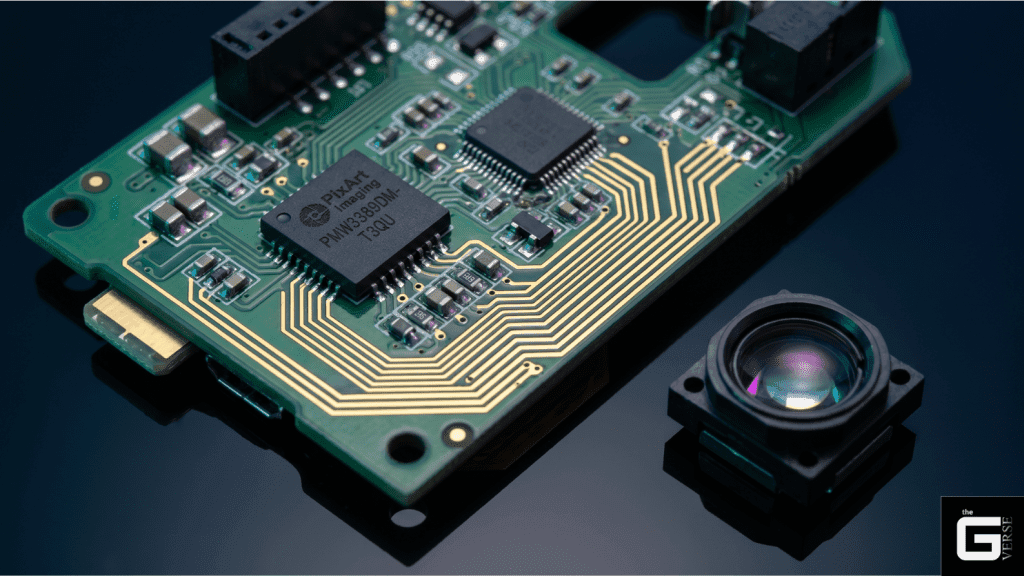
Why “IPS What” is the Wrong Question: Focus on Tracking Integrity
Search forums and basic hardware blogs are flooded with queries like What is an IPS? , demonstrating a fundamental misunderstanding of the specification. The focus should never be on performance enhancement, but rather failure prevention.
When investigating what is IPS mouse tracking integrity is, the analysis must look at total sensor decorrelation:
- Buffer Overflow and Data Starvation: If a mouse moves faster than its scan rate can capture overlapping microscopic surface features, the correlation buffer empties. The MCU cannot interpolate the missing gap, returning a null value that freezes the cursor.
- The Negative Acceleration Phase: Before reaching total malfunction, sensors exhibit negative acceleration. The cursor moves a shorter distance on-screen than the physical device moves on the desk, destroying spatial muscle memory.
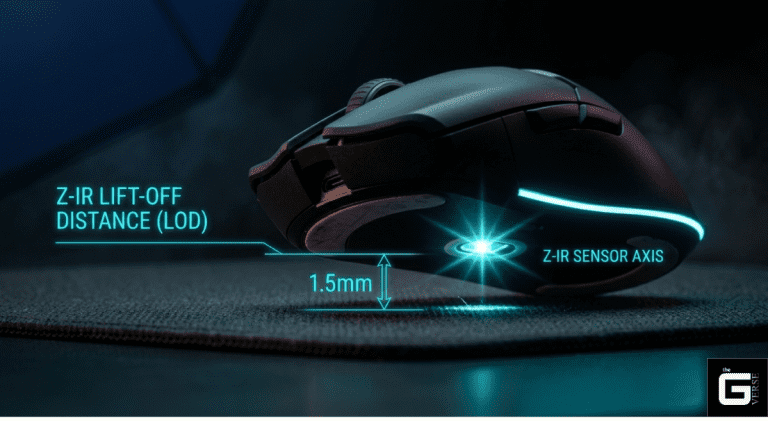
- Z-Axis Variance Vulnerability: High velocity often introduces a slight vertical lift. If the tracking limit is too low, minor Z-axis deviations during a fast swipe instantly break the X/Y correlation matrix, leading to a spin-out.
Asking what is IPS on mouse spec sheets is less about “going faster” and entirely about building a bulletproof processing pipeline that refuses to desync under physical duress.
DPI vs. IPS: The Technical Difference in Precision vs. Speed
Strictly decoupling spatial resolution from temporal velocity limits is mandatory for technical literacy. The technical difference lies in the fundamental nature of the generated data.
DPI (Dots Per Inch), more accurately termed CPI (Counts Per Inch) in engineering circles, is a spatial measurement. It dictates how many granular data points the sensor maps across a single inch of physical space.
IPS is a temporal velocity measurement. It dictates how fast the sensor can travel before the frame-to-frame image comparison fails.
When analyzing what the IPS for mouse data transmission is, the Nyquist-Shannon sampling theorem becomes highly relevant. The theorem states that a sampling rate must be at least twice the maximum frequency of the signal being sampled to avoid aliasing.
If a user sets a massive DPI but the hardware has a low IPS limit, a fast physical swipe generates a data frequency that exceeds the sensor’s sampling capability. The result is perceptual “pixel skipping” or total tracking malfunction. High DPI generates immense data; high IPS ensures the internal processor can actually ingest that data at high speeds without choking.
Perfect Control Speed (PCS) vs. Absolute Malfunction Rates
There is a strict distinction between linear 1:1 hardware tracking and sudden algorithmic failure. Perfect Control Speed (PCS) is the maximum physical velocity at which a sensor maintains mathematically flawless, 1:1 tracking without introducing positive or negative acceleration.
The Malfunction Rate is the higher velocity threshold where the sensor simply gives up and completely stops reporting coordinate data. Historical data exposes this divide perfectly.
The legendary Microsoft MLT04 sensor is still revered for its raw, unfiltered feel, but its PCS caps at roughly 1.55 m/s. Push it past 3.0 m/s, and it hits its absolute malfunction rate, throwing the cursor to the floor. Modern PixArt chips obliterate these limits, offering PCS and Malfunction Rates that are virtually identical because the ceiling is artificially set far beyond human physical capacity.
| Sensor Generation | Perfect Control Speed (PCS) | Absolute Malfunction Rate | Architectural Bottleneck |
| Microsoft MLT04 (Legacy) | ~1.55 m/s (60 IPS) | ~3.0 m/s (120 IPS) | Low frame rate, limited DSP buffer |
| Avago ADNS-9500 (Laser) | ~2.50 m/s (100 IPS) | ~3.8 m/s (150 IPS) | Dynamic frame rate variance, hardware acceleration |
| PixArt PMW3360 (Modern) | >6.35 m/s (250 IPS) | >6.35 m/s (250 IPS) | 12,000 FPS DSP processing limit |
| PixArt PAW3950MAX (Flagship) | >19.05 m/s (750 IPS) | >19.05 m/s (750 IPS) | 30,000 FPS variable scanning array |
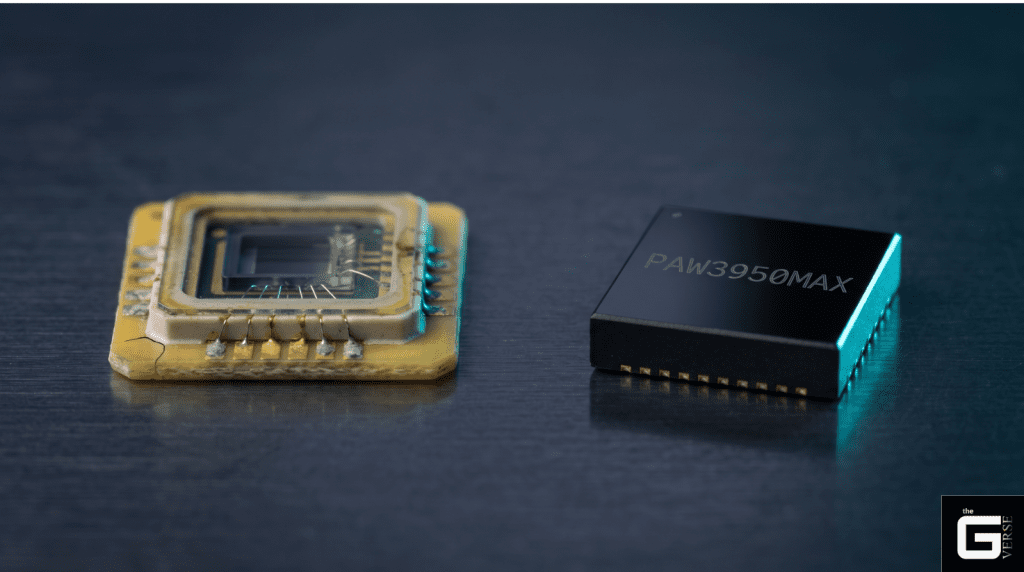
Does DPI or IPS Matter More for Gaming?
For fast-paced FPS titles, IPS is unequivocally more important than extreme DPI. Industry experience consistently demonstrates that professional tactical shooter players utilize low spatial resolutions (typically 400 to 800 DPI) paired with massive physical mousepads.
This specific configuration requires sweeping, high-velocity arm movements to execute standard crosshair adjustments. If a player is executing a rapid 180-degree flick shot, the physical device accelerates violently. A 26,000 DPI sensor is completely useless if the IPS threshold is breached at the apex of the flick.
Hardware testing data confirms that robust IPS tracking overhead is the primary metric preventing crosshair desynchronization during evasive maneuvers. The modern DPI limit is actually dictated by monitor resolution; based on Nyquist-Shannon modeling for a 1440p monitor at a standard 103° Field of View, a minimum of ~1300 DPI is required to maintain true pixel-level fidelity. Beyond that floor, raw tracking speed dictates survival.
Academic Deep Dive: How Optical Sensors Actually Track Speed
Stripping away the plastic shell reveals a highly complex machine vision system. An optical sensor is fundamentally a high-speed complementary metal-oxide semiconductor (CMOS) camera paired with a dedicated DSP Application-Specific Integrated Circuit (ASIC).
The system does not “see” movement in the human sense. It illuminates microscopic desk imperfections and captures thousands of shadow maps per second. By comparing these sequential frames, the DSP executes Digital Image Correlation (DIC) to calculate precise directional vectors.
CMOS Imaging and VCSEL Laser Speckle Contrast
The illumination source directly dictates the noise floor of the imaging array. Traditional optoelectronics utilize non-coherent Red LEDs (operating around 625 nm) to cast grazing-angle shadows over surface textures. While adequate for cloth pads, this approach fails on transparent or highly uniform surfaces.
Extreme-velocity setups and glass-tracking sensors require Vertical-Cavity Surface-Emitting Lasers (VCSELs). A VCSEL emits coherent light (typically 670 nm), which generates a highly complex interference pattern known as laser speckle when it scatters against a micro-texture. VCSELs provide an immensely high spatial contrast ratio, allowing the CMOS array to track structural shifts on optically clear surfaces where standard LEDs reflect back blindly.
To combat the massive temporal noise generated by highly coherent single-mode lasers, advanced sensors apply a high-frequency (e.g., 10 kHz) current sweep to the VCSEL. This rapid cycling averages out the transverse modes, reducing noise by up to 40% and matching the stability of LED illumination while retaining the precision of coherent light.
The Sum of Absolute Differences (SAD) Algorithm
The mathematical core of optical displacement calculation within the DSP is the Sum of Absolute Differences (SAD) algorithm. To operate at frame rates up to 20,000 FPS, the DSP cannot utilize heavy software-based algorithms; it requires raw, brute-force block-matching logic.
The SAD algorithm divides the captured 30×30 or 18×18 CMOS image into smaller macroblocks. For a given block in the current frame, the DSP searches the previous frame for a translated block that provides the minimum absolute difference in pixel intensity. The operation is defined as:

To execute this instantly, the DSP architecture relies on massive arrays of hardware half-adders. This dedicated ASIC pipeline permits modern PixArt DSPs to execute up to 64 SAD block-matching calculations in a single clock cycle, enabling real-time displacement vectors at speeds exceeding 15 meters per second.
The Science / Research Insight: The efficiency of optical flow computation relies on hard-wired Digital Signal Processors capable of executing the Sum of Absolute Differences (SAD) via fixed-window cost aggregation. Using transmission-gate based half-adder circuits, modern sensor DSPs can perform 64 SAD calculations in one cycle, minimizing the spatial variance vector and maintaining accurate sub-pixel displacement tracking even when the physical device accelerates at 50G. Reference: [1], [2]
What is IPS in a Gaming Mouse Architecture?
Applying technical velocity limits to competitive gameplay constraints exposes exactly what is IPS in gaming mouse architectures. It is the invisible hardware safety net for muscle memory.
Professional esports performance analytics show that players rely heavily on subconscious, ballistic wrist and arm twitches. If the hardware fails to translate a 2.5 m/s twitch with 100% fidelity, the shot misses.
Diagnosing Sensor Spin-Outs and Z-Axis Focal Disruption
Sensor spin-outs are rarely caused by exceeding horizontal velocity limits on modern hardware. Instead, they are frequently caused by Z-Axis focal disruption occurring during high-speed horizontal movement.
Hardware teardowns of flagship PixArt sensors reveal a strict lens focal depth tolerance of precisely 2.4mm. When a user executes a violent flick on a thick, soft cloth pad (such as a 4mm or 6mm artisan mat), the downward pressure forces the mouse skates to sink into the foam base.
This sinkage pushes the lens distance from 2.4mm to perhaps 2.0mm or lower. If the surface drops out of the focal sweet spot, the SQUAL (Surface Quality) register within the DSP plummets. If the SQUAL value drops below the operational threshold (typically 40), the SAD algorithm loses pattern coherence and the sensor “spins out.”
How IPS Works Together with Other Sensor Specs
Tracking velocity does not exist in a vacuum. It is deeply synergistic with other core specifications to form a cohesive peripheral architecture:
- Lift-Off Distance (LOD): A lower LOD (e.g., 1.0mm) prevents unwanted tracking when repositioning the device. However, setting the LOD too low via firmware can cause micro-tracking failures during high IPS swipes due to cloth pad sinkage.
- G-Force Acceleration Limits: IPS defines the maximum constant speed, but the G-force rating defines how fast the device can reach that speed. Modern PAW3395 chips boast 50G acceleration limits, ensuring instant changes in direction do not blind the CMOS array.
- Frame Rate / Scan Rate: A sensor scanning at 20,000 FPS captures significantly more overlapping frames than one scanning at 12,000 FPS. This directly raises both the IPS ceiling and resilience to focal disruptions.
Understanding the Importance of IPS for Ergonomic Mice
While gamers obsess over performance ceilings, tracking failure is a massive, hidden liability in enterprise environments. A low-quality sensor in an office peripheral forces the user to subconsciously compensate for tracking inaccuracies, directly exacerbating repetitive strain.
How IPS Can Impact Your Ergonomic Mouse Experience
Tracking failures—even minute ones that do not result in a total spin-out lead to micro-stutters. If an ergonomic vertical mouse or trackball loses spatial correlation, the cursor jumps, skips, or stutters along its path.
The user’s motor cortex instantly recognizes the visual desync and initiates a rapid, corrective micro-movement. Over an 8-hour workday, thousands of these micro-corrections force the flexor tendons and intrinsic hand muscles to work in a constant state of erratic tension. Real-world productivity testing data indicate that utilizing a high-IPS, flawless sensor significantly reduces compensatory muscle activation.
Combining a stuttering sensor with high actuation force switches (e.g., 80gf) creates a highly volatile ergonomic setup, risking tendon sheath inflammation and index finger fatigue.
The Science / Research Insight: According to biomechanical modeling using the Moore-Garg Strain Index, micro-stutters caused by sensor tracking failure induce rapid, high-intensity corrective muscle contractions in the flexor tendons. These erratic corrections increase internal friction and elevate the Strain Index score into “Hazardous” territory (>5.0), rapidly accelerating the onset of Repetitive Strain Injuries (RSI). Reference: [1]
Factors to Consider & Finding the Right IPS Range for Productivity
Balancing IPS requirements with sensor types and build quality is essential for a frictionless office environment. Reviewer comparisons highlight several strict criteria:
- Surface Agnosticism (Glass Tracking): Office desks utilize glass, polished wood, or laminate. A VCSEL-based sensor with a high IPS rating is mandatory to prevent decorrelation on highly reflective surfaces.
- Polling Stability over Bluetooth: High IPS tracking is wasted if the Bluetooth Low Energy (BLE) polling rate bottlenecks the data. Ensure the peripheral maintains a stable 125Hz or 250Hz report rate via a dedicated 2.4GHz dongle.
- Sensor Placement and Pivot Arcs: On vertical ergonomic mice, the sensor is often mounted higher relative to the desk surface. This amplified pivot arc requires high IPS overhead to track the top-heavy swing flawlessly.
Tips for Optimizing IPS Settings on Your Ergonomic Mouse
- Disable OS Pointer Precision: Disable “Enhance Pointer Precision” in Windows or macOS. This software-level acceleration algorithm completely destroys the 1:1 hardware tracking accuracy of a high-IPS sensor.
- Calibrate the Surface in Software: Run a surface calibration protocol via the manufacturer’s software. This tunes the sensor’s SQUAL threshold for your specific desk mat.
- Optimize Polling Rate for Office Displays: Set the polling rate to 500Hz for standard 60Hz or 120Hz office monitors. It provides fluid tracking without unnecessarily taxing USB interrupt controllers.
- Pair with a Hard Pad: If utilizing a heavy ergonomic chassis, use a hard polymer pad to eliminate Z-axis sinkage and maintain the strict 2.4mm focal depth.
What is a Good IPS for a Gaming Mouse in 2026?
Transactional tiering of acceptable hardware thresholds has shifted massively. If consumers ask What is a Good IPS for a Gaming Mouse? the baseline has moved.
A standard 150 IPS is no longer acceptable for high-performance applications. The industry baseline for a flawless experience is 400 IPS. Anything below this threshold on a modern spec sheet indicates a compromised, budget-bin sensor architecture.
When evaluating what is a good IPS for a gaming mouse is, the analysis must look at the current PixArt portfolio. The budget tier PAW3311 sits at 300 IPS. However, competitive players must demand the PAW3395 or the flagship PAW3950MAX, which push boundaries past 650 IPS.
| Specification | PixArt PAW3395 (Standard) | PixArt PAW3950MAX (Flagship) | Practical Architecture Implication |
| Max Tracking (IPS) | 650 IPS | 750 IPS | The 3950MAX handles ultra-violent 180° arm flicks with zero buffer overflow. |
| Static Scan Rate | ~16,000 FPS | Up to 20,000 FPS | A higher scanning frequency prevents decorrelation during Z-axis anomalies. |
| Lift-Off Distance | 1.0mm (+/- 0.2mm variance) | 0.7mm (Stable sub-1mm) | Retains tighter focus tolerances, reducing unwanted crosshair movement. |
| Native Polling | 1000Hz (8K requires external MCU) | Native 8000Hz Support | Lowers internal processing latency on the SPI bus. |
When IPS Actually Matters and When It Does Not
Marketing relies on FOMO. Clarifying that high IPS is mandatory for low-sensitivity arm aimers, but a non-factor for casual web browsing, is an industry necessity.
| Player Archetype | Sensitivity Setting | Target IPS Threshold | Why It Matters |
| Tactical FPS (Arm Aimer) | 40cm+ / 360° | 450+ IPS | Massive sweeps across large pads require absolute maximum tracking limits to prevent sensor stall. |
| MOBA / RTS (Wrist Aimer) | 15cm / 360° | 250+ IPS | Movement is restricted to wrist micro-adjustments. Maximum velocity rarely peaks above 2.0 m/s. |
| Productivity / Web | Variable | 150+ IPS | High acceleration is never achieved; priority shifts to surface compatibility over raw speed. |
How to Choose Based on IPS Without Overthinking It
Expert synthesis of marketing versus actual utility dictates a simple rule: Treat the IPS rating as a compatibility check, not a direct performance enhancer. If a device advertises 650 IPS, it simply means the manufacturer utilized a top-tier PixArt sensor. The real-world difference between 400 IPS and 750 IPS is completely imperceptible to human biomechanics.
The purchase decision should immediately pivot to shape, weight balance, switch actuation force, and firmware latency. Buying a 750 IPS sensor housed inside a poorly balanced shell with latent firmware is a masterclass in wasted money. The specification is a prerequisite for entry, not the defining characteristic of a good peripheral.
The 8000Hz Polling Era: How MCU Rates Bottleneck IPS
The new frontier of peripheral performance is USB bandwidth saturation. As the industry pushes toward true 8000Hz (8K) polling rates, the tracking limits of the optical sensor are no longer the primary bottleneck. The bottleneck is the Microcontroller Unit (MCU) and the Serial Peripheral Interface (SPI) bus communication.
At 8000Hz, the mouse must report its position to the PC every 0.125 milliseconds. If the optical sensor does not capture enough granular movement, the MCU is forced to send a duplicate or null packet. This results in horrific frame-time variance and CPU interrupt request (IRQ) spikes, completely destroying the fluidity 8K is supposed to provide.
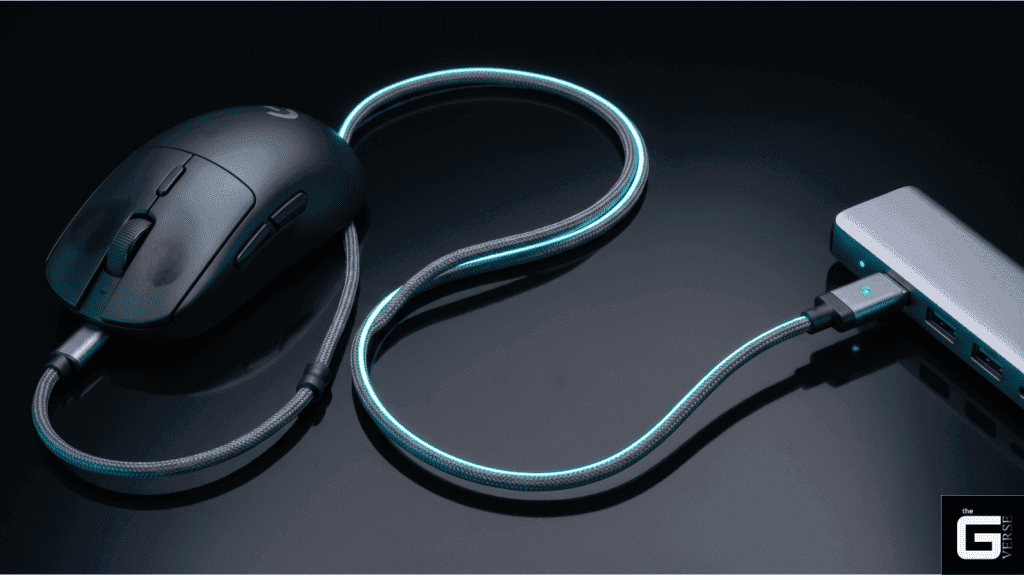
Understanding the “10 IPS Rule” for 8K Saturation
To fully exploit an 8K polling MCU, the sensor must continuously feed it unique coordinate data. This introduces the strict mathematical model of DPI saturation and the “10 IPS Rule”.
- The Algorithm: Packets per Second = Movement Speed (IPS) × DPI.
- Data Starvation: If a user configures their hardware to a legacy standard like 800 DPI and uses an 8000Hz polling rate, the math dictates they must move the peripheral at a sustained speed of at least 10 Inches Per Second to generate 8,000 unique data points.
- Micro-Stutter Generation: If the mouse moves slower than 10 IPS at 800 DPI, the 8K pipeline starves. The MCU sends duplicate coordinates, resulting in severe micro-stutter during slow, precise tracking tasks.
- The Optimization Fix: To maintain a flawless 8K data stream, the base DPI must be raised. At 1600 DPI, the required speed drops to just 5 IPS. At 3200 DPI, it drops to 2.5 IPS. This ensures the 8000Hz bandwidth is fully saturated.
SPI Motion Sync and Microcontroller Processing Latency
To combat SPI jitter and ensure the 8K data packets align perfectly with the sensor’s optical frame captures, high-end firmware implements a synchronization technology called Motion Sync.
- Unsynchronized Desync: Normally, the sensor’s internal DSP clock and the MCU’s USB polling clock run independently, leading to micro-jitter on high-refresh-rate monitors.
- Firmware Alignment: Motion Sync forces the sensor to trigger its frame capture in direct response to the USB poll request. Every data packet sent to the PC contains movement data of a uniform, synchronized age.
- The Latency Penalty: Aligning these independent clocks introduces a deterministic processing delay. At a standard 1000Hz polling rate, Motion Sync adds approximately 0.5ms of latency. However, at an 8000Hz polling rate, the latency penalty shrinks to a negligible 0.0625ms.
This trade-off renders the tracking path immaculately smooth with virtually zero perceivable input lag penalty, proving that true performance is found in firmware execution.
The Final Verdict: Evaluating True Tracking Integrity
The obsession with massive specifications is a distraction engineered by marketing departments. An astronomical Inches Per Second rating is not a magical speed boost; it is a structural guarantee. It proves that the underlying Digital Signal Processor, the VCSEL illumination hardware, and the CMOS array are built to a standard that vastly exceeds human physical limitations.
The industry reality is stark. A sensor rated for 650 IPS paired with an 8000Hz MCU provides absolutely zero competitive advantage if the firmware is unstable, the lens focal depth is easily disrupted, or the user chokes the data stream with a low DPI setting.
True performance is found in architectural synergy. When the optics, the SAD algorithm, and the MCU polling mechanics operate in perfect mathematical harmony, the hardware disappears entirely. That is the only metric that actually matters.