What is Nano IPS? The Ultimate Display Engineering Deep Dive
The modern monitor market is an absolute minefield of proprietary acronyms, misleading specification sheets, and fabricated performance metrics. Display manufacturers routinely exploit the technical ignorance of consumers. They repackage decades-old hardware under fresh, hyper-aggressive branding.
However, amidst the endless sea of meaningless marketing drivel, a few hardware advancements have genuinely reshaped the baseline of competitive gaming and professional color grading. The evolution of liquid crystal displays historically followed a predictable trajectory of miniaturization.
Yet, conventional display backlighting methodologies now encounter severe physical limitations. These include increased energy leakage and severely compromised spectral purity. In the relentless pursuit of superior color reproduction and accelerated pixel response times, the display industry turned to advanced material science.
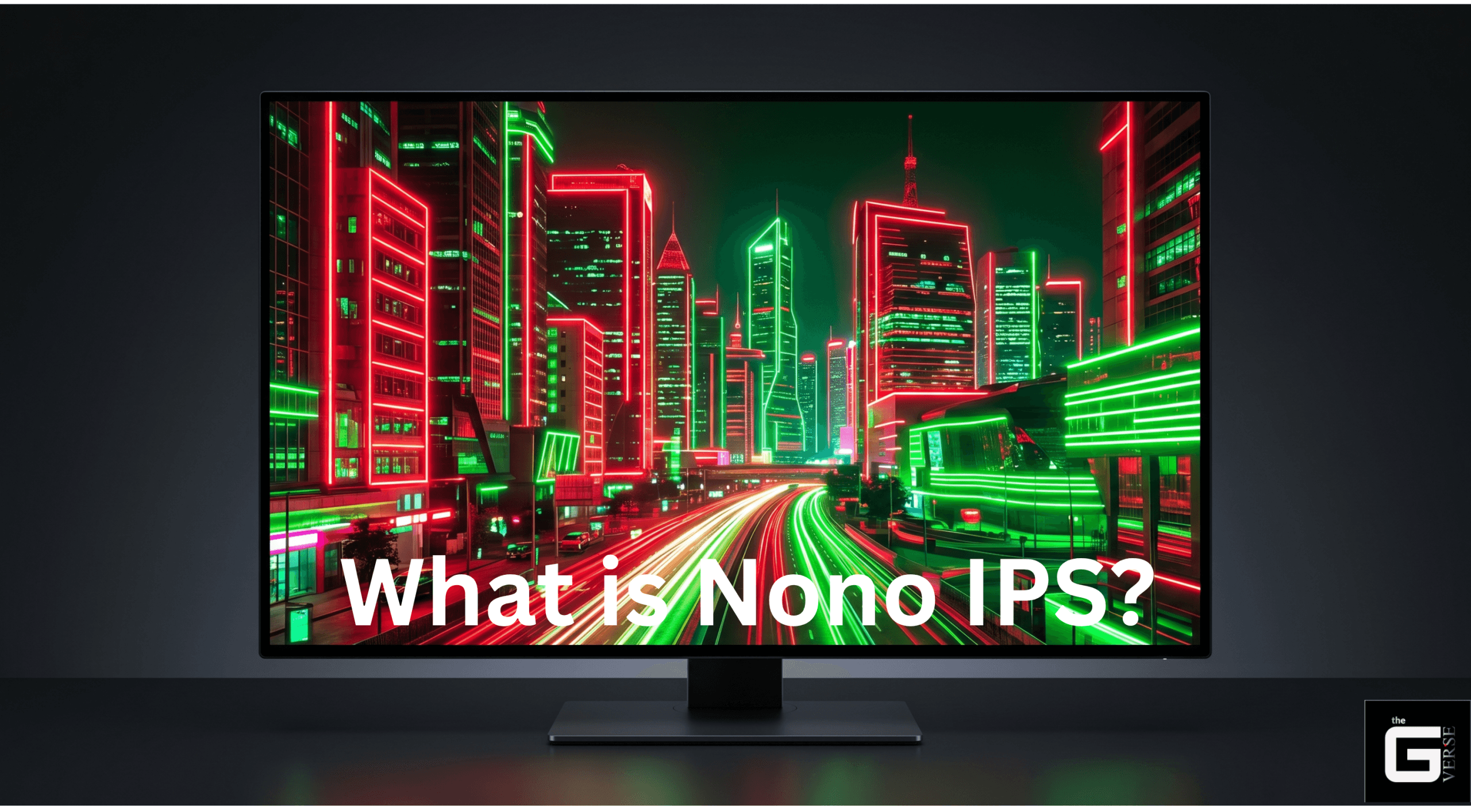
At the forefront of this shift is a complete redesign of the backlight layer. So, exactly what is nano IPS? Frankly, it is an engineering breakthrough that merges traditional in-plane switching with nanoparticle light filtration.
This exhaustive technical report dissects the fundamental mechanics of IPS, the molecular physics of nanoparticle backlighting, the exact performance metrics compared to OLED and VA panels, and the well-documented biological implications of high-gamut displays on human visual health.
- What It Is: An upgraded screen technology created by LG Display (advanced liquid crystal display (LCD) architecture).
- How It Works: It uses a special layer of tiny particles over standard white lights to soak up messy, inaccurate colors (KSF phosphor nanoparticle layer (K₂SiF₆:Mn⁴⁺) absorbing unwanted light wavelengths, creating an incredibly pure picture.
- The Benefits: It delivers massively vibrant, accurate colors (98% DCI-P3 color gamut) and reacts instantly to fast movement (1ms GtG response times), making it perfect for professional photo editing and competitive gaming.
- The Drawbacks: The intense peaks of light can tire your eyes out faster (visual fatigue caused by sharp red and blue spectral spikes), and the dark/black colors aren’t very deep (static contrast limited to 1000:1) unless you upgrade to the newest models (IPS Black iterations).
Fundamentals of Display Architecture: What Is an IPS Display?
Before evaluating proprietary nanoparticle modifications, the fundamental baseline of liquid crystal display (LCD) technology must be definitively established. A recurring point of confusion for general PC users centers around industry terminology.
IPS stands for In-Plane Switching. It is a specific panel architecture engineered in 1995 by Hitachi specifically to eradicate the catastrophic viewing angle limitations and vertical color inversion issues inherent in early Twisted Nematic (TN) displays.
In a standard TN panel, liquid crystal molecules twist perpendicularly to the glass substrates when an electrical current is applied. This vertical twisting causes light to scatter unevenly through the polarizers. The result is catastrophic: the moment the viewer moves their head even slightly off-center, the contrast shifts aggressively, and colors physically invert.
The In-Plane Switching Mechanism
IPS architecture solves this glaring structural flaw by aligning the liquid crystal molecules in parallel (in-plane) to the glass substrates. When voltage is applied via the thin-film transistors (TFTs), the crystals rotate entirely within the same horizontal plane to modulate light.
This horizontal rotation allows the backlight to pass through the front polarizer with uniform consistency. It results in exact color retention and gamma stability at extreme viewing angles up to 178 degrees horizontally and vertically.
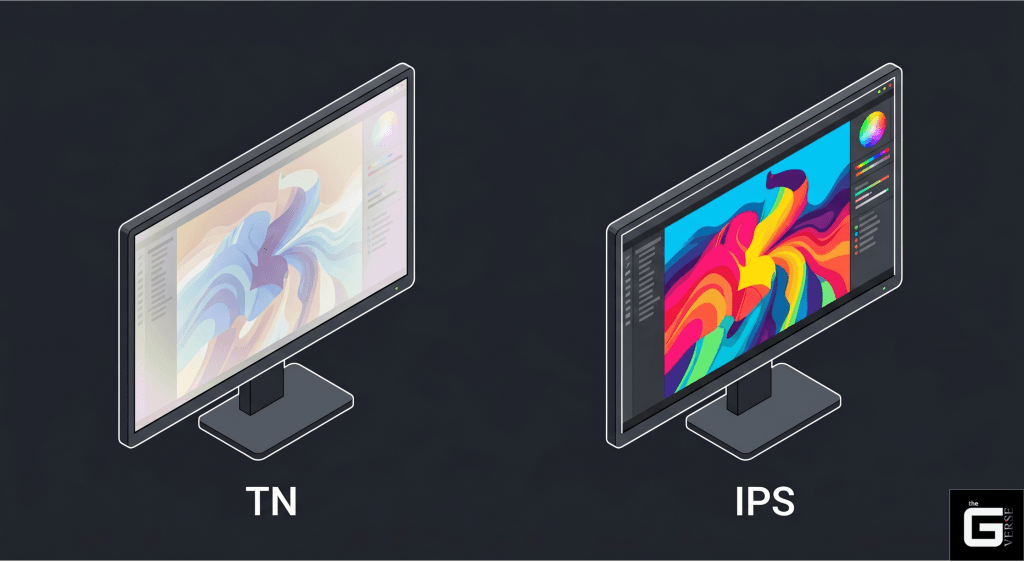
Consequently, when consumers ask about the meaning of IPS in monitor specifications, it fundamentally refers to this superior viewing angle and highly consistent color reproduction. It is no longer just a question of basic functionality; it represents the unassailable baseline industry standard for optical consistency, critical image evaluation, and graphic design.
LED IPS vs LCD IPS: Clearing the Confusion
A pervasive, mathematically illiterate misconception continues to plague the consumer hardware space regarding “LED” versus “LCD” displays. The distinction is a pure marketing fabrication designed to up-sell uneducated buyers.
Scientifically and architecturally, there is no distinction between an “LED monitor” and an “LCD monitor” in this context. All IPS panels are inherently LCDs (Liquid Crystal Displays). The liquid crystals themselves are biologically incapable of emitting light. They act solely as microscopic shutters that either block or allow light to pass through a sub-pixel color filter array (CFA).
This functional reality necessitates an independent illumination source positioned behind the liquid crystal layer. Historically, older LCD monitors utilized thick, energy-inefficient cold-cathode fluorescent lamps (CCFLs). The industry subsequently shifted to Light Emitting Diodes (LEDs) for illumination to reduce thermal output, improve energy efficiency, and shrink panel size.
Therefore, when a manufacturer markets an “LED IPS” monitor, it is technically an “LED-backlit LCD utilizing an IPS panel.” The vast majority of standard IPS displays utilize a White LED (W-LED) backlight array.
| Display Component | Function within the Monitor Architecture | Traditional Implementation | Modern Standard Implementation |
| Illumination Source (Backlight) | Generates the raw photons necessary to illuminate the screen. | Cold Cathode Fluorescent Lamp (CCFL) | White Light-Emitting Diode (W-LED) |
| Modulation Layer (Panel) | Acts as shutters to control the intensity of light passing through RGB color filters. | Twisted Nematic (TN) Liquid Crystals | In-Plane Switching (IPS) Liquid Crystals |
The Nanotech Revolution: What is Nano IPS Display Technology?
While standard IPS technology resolved viewing angle and color consistency issues, it remained brutally constrained by the spectral limitations of its W-LED backlight. Standard IPS monitors typically utilize a high-energy blue LED coated with a cheap, ubiquitous yellow YAG (Yttrium Aluminum Garnet) phosphor to simulate white light.
This standard backlight produces a broad, chaotic, and messy spectrum of light. The white light contains excess, overlapping wavelengths of yellow and orange. When this impure light passes through the LCD’s color filter array, this overlap creates muddy, impure colors, restricting the display’s color gamut to roughly 100% of the sRGB color space.
Introduced by LG Display in 2019, Nano IPS is an advanced iteration of IPS technology. The “nano” nomenclature is not merely an empty branding exercise. It refers directly to a highly specialized layer of nanometer-sized particles (approximately 1 to 2 nanometers in diameter) applied directly to the LED backlight.
This technology was engineered to overcome the color volume limitations of standard W-LED arrays. Crucially, it achieves this without resorting to highly expensive, professional-grade RGB LED backlight configurations.
The Physics of Nanoparticle Light Absorption
The mechanism by which Nano IPS operates is grounded in sophisticated material science. The architecture abandons the cheap YAG phosphor approach entirely. Instead, it utilizes a highly complex chemical compound: potassium hexafluorosilicate doped with tetravalent manganese.
Scientifically designated as K₂SiF₆:Mn⁴⁺, this layer is universally abbreviated in the display industry as KSF phosphor. This KSF phosphor is synthesized into nanoparticles and applied as a film or directly coated onto the standard W-LEDs, leading to the designation of “KSF LEDs.”
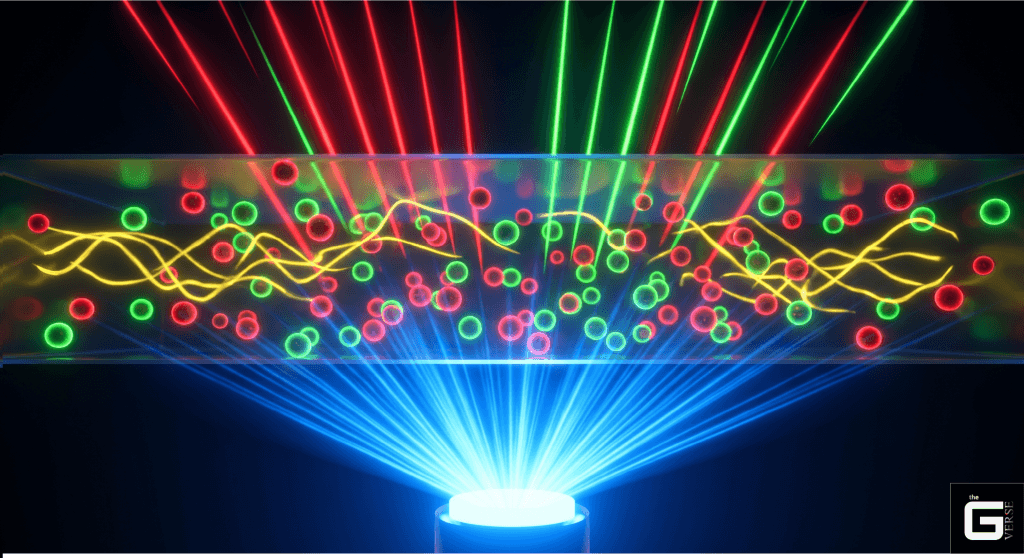
The primary function of the KSF phosphor layer is light purification through selective wavelength absorption. The display utilizes intense blue pump LEDs (peaking around 450nm). The KSF phosphor is engineered to absorb specific, unnecessary wavelengths of light—primarily the yellow and orange wavelengths that typically bleed between the red and green spectral bands.
The Science / Research Insight: The luminescent behavior of the Mn⁴⁺ ion within the K₂SiF₆ octahedral crystal field is dictated by optical physics, mapped precisely on the Tanabe-Sugano diagram. The ground state is ⁴A₂g. Excitation via the 450nm blue pump LED triggers a spin-allowed transition to the ⁴T₂g or ⁴T₁g energy states. The subsequent non-radiative relaxation to the ²Eg state results in a spin-forbidden ²Eg → ⁴A₂g transition. Because the fluoride ligand provides a highly specific crystal field splitting parameter (Dq/B), this transition yields an exceptionally narrow, ultra-pure red emission band peaking precisely between 610 nm and 650 nm. By forcing the backlight to emit light only in very sharp, specific frequency bands, the display physically eliminates the dull yellow and orange spectral waste. Reference [1], [2], [3], [4]
How the Nanoparticle Layer Purifies Colors
The physical elimination of spectral cross-talk is the defining engineering advantage of the nanoparticle absorber layer. In a standard LCD pipeline, the color filter array (CFA) is inherently flawed.
When a green sub-pixel opens to display pure green, adjacent yellow and orange wavelengths from the broad YAG backlight bleed through the filter. This spectral contamination mathematically restricts the saturation limits of the panel. The Nano IPS framework explicitly solves this.
| Purification Mechanism | Technical Execution | Visual Output Result |
| Selective Wavelength Absorption | Nanoparticle dye complexes are engineered to absorb photons strictly in the 580–610 nm wavelength range. | Destroys the yellow/orange cross-talk that traditionally muddies the barrier between red and green filters. |
| Primary Color Isolation | By eliminating overlapping frequencies, the K₂SiF₆:Mn⁴⁺ phosphor guarantees red sub-pixels emit a laser-like red. | Colors appear neon-like and deeply saturated, essential for HDR mastery. |
| Forward-Focused Light Extraction | Advanced dispersion technology ensures high-refractive-index nanoparticles are uniformly distributed. | Improves luminous efficacy, allowing the panel to hit 400+ nits without thermal throttling. |
The Comparative Analysis: Nano IPS vs Traditional IPS
For consumers and professionals analyzing the market, the decision often boils down to a direct comparison: Nano IPS vs IPS. The integration of KSF phosphor nanoparticles yields immediate, mathematically verifiable advantages over legacy display technologies.
Understanding the performance delta is absolutely mandatory to justify the price premium typically associated with Nano IPS hardware.
1. Massive Color Gamut Expansion
Standard IPS monitors hit a structural wall at approximately 99% to 100% of the sRGB color space. While perfectly adequate for general office work, standard IPS panels appear visibly washed out when placed next to a Nano IPS display.
Nano IPS obliterates this limitation, achieving a massive color gamut volume of roughly 135% sRGB. This spectral purification translates directly to covering 98% of the much wider DCI-P3 color space. The DCI-P3 color space is the digital film industry standard, crucial for High Dynamic Range (HDR) tone mapping.
The ability to display 98% DCI-P3 means a Nano IPS monitor can reproduce deeply saturated reds and vibrant greens that are simply physically impossible for a standard W-LED IPS monitor to output. In dual-monitor studio setups, dragging a RAW photograph to a Nano IPS panel reveals hues that the standard panel lacks the hardware to render.
2. Pixel Response Times and 1ms GtG Parity
Historically, one of the most significant drawbacks of IPS technology was sluggish pixel response time. Standard IPS monitors traditionally hovered around the 4ms to 5ms Gray-to-Gray (GtG) mark, leading to unacceptable motion blur and ghosting in fast-paced scenarios.
A critical engineering achievement of LG’s Nano IPS implementation (and broadly categorized “Fast IPS” panels) is the reduction of response times down to a true 1ms GtG. This advancement effectively eliminated the historical speed advantage of Twisted Nematic (TN) panels.
For the first time, esports professionals could utilize a monitor that provided the absolute speed parity of TN alongside the unrivaled color accuracy and viewing angles of IPS. When the internal scaler’s overdrive algorithms are optimized, Nano IPS panels demonstrate speeds fast enough to cleanly display 144Hz, 165Hz, and 240Hz refresh rates without severe inverse ghosting.
3. The Contrast Ratio Limitation (The IPS Glow)
Despite the advancements in color and speed, what is Nano IPS vs IPS in terms of contrast? Here, Nano IPS does not offer an inherent advantage over standard IPS. In fact, early iterations sometimes performed slightly worse.
Both share the same fundamental liquid crystal structure, which struggles to completely block the intense LED backlight when displaying a black image. This results in a typical static contrast ratio of roughly 1000:1.
In a pitch-dark room, a hazy dark grey takes the place of true black—a phenomenon colloquially known as “IPS glow”. Vertical Alignment (VA) panels easily achieve 3000:1 to 6000:1 ratios, making dark atmospheric games look utterly incredible. If you are buying a monitor strictly for dark-room cinema, standard Nano IPS will disappoint you visually.
| Technical Metric | Traditional W-LED IPS | Nano IPS (KSF Phosphor) | Hardware Performance Delta |
| Color Gamut Volume | ~100% sRGB / ~75% DCI-P3 | ~135% sRGB / 98% DCI-P3 | A staggering 35% increase in total color saturation. |
| Response Time (GtG) | 4ms – 5ms (Typical) | 1ms (Overdrive Supported) | Near-total elimination of trailing blur and ghosting. |
| Static Contrast Ratio | 1000:1 (Native limit) | 800:1 to 1000:1 | No native contrast advantage initially; both suffer from IPS glow. |
| Color Accuracy (ΔE) | Variable based on factory calibration. | ΔE<2.0 | Near-perfect 2.2 gamma tracking in default modes. |
Architectural Alternatives: Quantum Dot and NanoCell
To fully understand Nano IPS technology, it must be contextualized against competing wide-gamut architectures, specifically Samsung’s Quantum Dot (QLED) and LG’s own NanoCell TV technology.
Nano IPS vs Quantum Dot (QDEF)
Both Nano IPS and Quantum Dot exist to solve the exact same problem: expanding the color gamut to >95% DCI-P3 for HDR compliance without expensive RGB LED backlights. However, their application methods differ entirely.
While Nano IPS applies the KSF phosphor nanoparticle layer directly onto a standard White LED, Quantum Dot utilizes a Quantum Dot Enhancement Film (QDEF) placed between a Blue LED backlight and the LCD panel. Quantum dots are microscopic semiconductor nanocrystals that naturally emit different colors based on their physical size (a 7nm dot emits pure red; a 3nm dot emits pure green).
Testing indicates that both yield virtually identical color space volumes in the desktop monitor market, roughly achieving 98% DCI-P3. However, Nano IPS allows for borderless panel designs more easily than QDEF architectures due to the lack of an extra film layer.
Nano IPS vs NanoCell
Consumers researching LG televisions often wonder if “NanoCell” is identical to Nano IPS. The foundational premise is the same: both utilize nanoparticles as color purifiers to absorb unwanted light wavelengths.
The distinction is primarily one of marketing and product categorization. “Nano IPS” is the branding utilized for high-performance PC computer monitors, emphasizing the fast In-Plane Switching liquid crystals necessary for 1ms gaming. “NanoCell” is the consumer television branding, where image processing engines are tuned for cinematic viewing rather than ultra-low-latency PC use.
2026 Display Battle: Nano IPS vs OLED and Mini-LED
By 2026, the premium display market will have fractured into a brutal, uncompromising war. A comprehensive answer to the relevance of Nano IPS must address its current standing against self-emissive and localized dimming technologies.
The OLED Paradigm Shift
OLED (Organic Light-Emitting Diode) technology represents a paradigm shift because it abandons the backlight entirely. Every microscopic pixel is self-emissive; it generates its own light and color. Consequently, when an OLED needs to display black, it simply turns the individual pixel off.
This yields an effectively infinite contrast ratio (∞:1) and true, absolute black. Furthermore, OLED panels offer instantaneous pixel response times (typically 0.03ms GtG), virtually eliminating all motion blur. Side-by-side in a dark room, OLED heavily favors cinematic consumption.
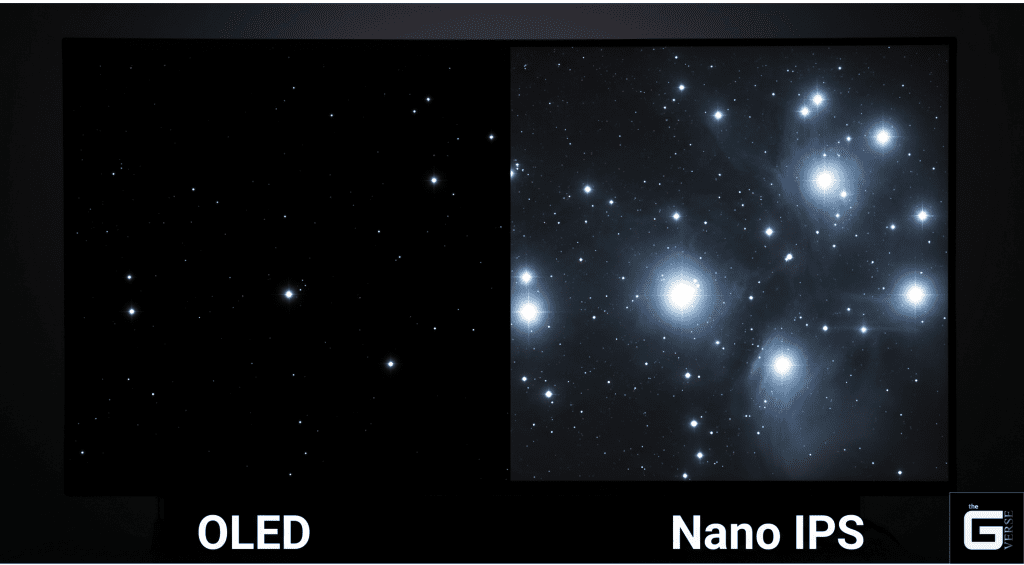
However, OLED carries fatal, unavoidable chemical flaws that keep Nano IPS highly relevant for productivity:
- Burn-In Degradation: OLED pixels physically degrade over time. Displaying static UI elements like Windows taskbars or IDE code editors for 8 hours a day will cause permanent image retention. Nano IPS is completely immune to burn-in, making it a vastly safer long-term financial investment for developers and writers.
- Full-Screen Sustained Brightness: OLEDs utilize an Automatic Brightness Limiter (ABL) that dims the entire screen dramatically when displaying a mostly white image to prevent overheating. Nano IPS monitors easily maintain sustained full-screen brightness of 400 to 600 nits without aggressive, annoying dimming.
- Subpixel Layout and Text Clarity: Many QD-OLED and WOLED panels utilize non-standard subpixel layouts (like triangular RGB), causing color fringing and poor text clarity. Nano IPS uses a standard, linear RGB layout, delivering perfectly crisp text.
The Mini-LED Compromise
Mini-LED attempts to bridge the gap by replacing the standard edge-light with a Full Array Local Dimming (FALD) backlight. Thousands of microscopic LEDs are grouped into dimming zones that can independently turn on and off.
While Mini-LED drastically improves contrast and HDR peak brightness (often exceeding 1500 nits), it suffers from “blooming” or “halo effects”. You will see a visible glow around bright objects on dark backgrounds because the dimming zones are still larger than individual pixels. For precise productivity tasks, this blooming is highly distracting.
| Technology Architecture | Static Contrast Ratio | Sustained Full-Screen Brightness | Burn-In Risk | Ideal 2026 Use Case |
| Standard Nano IPS | 1000:1 | High (~400+ nits) | Zero | Competitive gaming in brightly lit rooms; everyday productivity. |
| Nano IPS Black | 2000:1 | High (~400+ nits) | Zero | Professional color grading, graphic design, and Mac ecosystems. |
| Mini-LED (FALD) | High (via local dimming) | Extreme (~1000+ nits) | Zero | Blinding HDR media consumption; users who tolerate blooming. |
| QD-OLED / WOLED | Infinite (∞:1) | Low/Moderate (ABL limited) | High | Dark-room immersive gaming; cinematic movie watching. |
The Next Evolution: Enter IPS Black Technology
The single most valid, mathematically sound criticism of Nano IPS has always been its lackluster contrast ratio. To directly combat the rise of OLED displays, LG Display introduced a monumental engineering breakthrough: IPS Black technology.
IPS Black fundamentally redesigns the liquid crystal array and heavily optimizes the polyimide alignment film to minimize microscopic light leakage. This iteration literally doubles the static contrast ratio to an unprecedented 2000:1.
At a standard 400-nit white level, conventional IPS black luminance measures approximately 0.4 nits. An IPS Black panel drops this down to <0.2 nits, delivering 35% deeper blacks and massive improvements in low-gray expression. Furthermore, it drastically reduces the Gamma Shift Ratio (GSR) at wide viewing angles to under 5%, ensuring shadow details remain accurate off-center.
High-end monitors, such as the LG 27G850A-B and Dell U5226KW, now fuse the 98% DCI-P3 color volume of the KSF nanoparticle backlight with the IPS Black liquid crystal structure. These “Nano IPS Black” hybrids represent the absolute pinnacle of transmissive LCD technology.
The Unspoken Epidemic: KSF Phosphors and Severe Eye Strain
Mainstream tech blogs consistently, almost maliciously, ignore a critical, highly documented side-effect of Nano IPS technology. A deep forensic analysis of user experiences uncovers a massive, recurring pain point: severe eye strain, headaches, and neurological fatigue linked directly to the KSF phosphor backlight.
For years, the industry treated “eye strain” as a generic screen-time issue. However, the distinct clustering of physical symptoms—migraines, dizziness, and deep ocular pain—points to a distinct biological reaction.
The Biological Impact of the KSF Spectrum
The physiological trigger lies in the exact technology that makes Nano IPS optically superior. To achieve 98% DCI-P3, the K₂SiF₆:Mn⁴⁺ layer emits an extremely sharp, unnatural, sawtooth-shaped spike in the ~630nm red wavelength, alongside a powerful ~460nm blue pump LED.
The human visual system evolved under the continuous, broad-spectrum light of the sun. The intense, unnatural peaks of narrow-band light force the ciliary muscles in the eye to constantly refocus.
The Science / Research Insight: The human retina contains intrinsically photosensitive retinal ganglion cells (ipRGCs) expressing the photopigment melanopsin, which peaks in sensitivity at the 480nm blue spectrum. Persistent exposure to the intense blue pump of a Nano IPS monitor, combined with aggressive 630nm red spikes, triggers abnormal, sustained ipRGC firing.
Furthermore, clinical studies highlight a “yellow-green spectrum deficit.” Human visual performance is enhanced under illumination rich in the 535–589 nm yellow-green spectrum. Ironically, the entire purpose of Nano IPS is to aggressively absorb and eliminate this exact yellow-green light. By removing the wavelengths the eye finds soothing, Nano IPS inadvertently creates a harsh light signature, triggering photophobia. Reference [1], [2], [3]
“Red Fringing” and Temporal Dithering (8-Bit + FRC)
KSF phosphors possess an asymmetrical decay rate. When the backlight transitions, the red phosphor takes significantly longer to turn off than the blue and green. This mismatch creates a phenomenon known as “red fringing” on high-contrast scrolling text. The human brain works overtime to process these micro-aberrations hundreds of times a second, leading to rapid fatigue.
Compounding this is Frame Rate Control (FRC). To display 10-bit color depth (1.07 billion colors), many Nano IPS panels rapidly flicker between two adjacent colors at high frequency (temporal dithering). For biologically sensitive individuals, combining unnatural KSF spectral spikes with incessant FRC flickering is neurologically devastating.
Mitigation Strategies for Wide-Gamut Visual Fatigue
If you have invested in a Nano IPS display and feel like the screen is literally “cooking” your eyes, execute these targeted mitigation strategies immediately:
- Deploy The Novideo_sRGB Clamp: Do not rely on the monitor’s built-in “sRGB mode,” as these are often terribly calibrated. For NVIDIA users, the open-source tool novideo_srgb operates directly on the GPU side to mathematically constrain the wide color gamut. It applies a 3x1D LUT -> 3×3 matrix -> 3x1D LUT transform to perfectly clamp the output to 100% sRGB, vastly reducing the strain of over-saturated neon colors.
- Short-Wavelength Blocking: Manually reduce the Blue and Red gain channels in the Custom Color Temperature settings. Dropping the blue channel minimizes melanopsin/ipRGC activation, while blunting the aggressive KSF 630nm spike.
- Hardware Calibration and Ambient Lighting: Never use a Nano IPS monitor in a pitch-black room. Maintain a bias light (LED strip) behind the monitor to force the pupil to constrict naturally. Use a colorimeter to lower the native white point to D65 (6500K) and reduce brightness to 100-120 nits.
- Hardware Replacement: If you cannot tolerate KSF phosphors, the only solution is migrating to true 8-bit business-class monitors that utilize standard W-LED backlights strictly covering 99% sRGB.
The Final Verdict: Is Nano IPS Worth Your Money?
The display industry thrives on obfuscation, but Nano IPS is a rare, mathematically verified exception to the rule. The utilization of K₂SiF₆:Mn⁴⁺ phosphors to physically absorb stray light wavelengths at the nanometer level is a legitimate triumph of optical engineering.
By successfully achieving TN-level motion clarity while simultaneously rendering an astonishing 98% of the DCI-P3 color space, Nano IPS effectively rendered older standard-gamut displays entirely obsolete for high-end creative and competitive workflows.
Let’s be real: OLED currently wins the contrast war. But its fatal, unavoidable flaw of organic pixel degradation makes it a highly hazardous financial investment for 8-hour daily productivity. With the 2026 integration of IPS Black pushing static contrast ratios to 2000:1, Nano IPS has aggressively minimized its only real optical weakness.
Provided you are prepared to configure an sRGB software clamp to mitigate the physiological impact of the KSF spectrum, Nano IPS stands as the most versatile, indestructible, and color-accurate transmissive display technology available on the market today.
Frequently Asked Questions (FAQ)
Is IPS better than Nano IPS?
Frankly, no. Nano IPS physically expands the color gamut to 135% sRGB and 98% DCI-P3 using a KSF phosphor layer, making standard IPS look visibly washed out in side-by-side tests. However, standard W-LED IPS is significantly better if you suffer from severe screen-induced eye strain, as it lacks the aggressive red and blue spectral spikes that cause fatigue.
What are the disadvantages of Nano IPS?
The primary drawbacks are structural and physiological. First, traditional Nano IPS panels are severely limited to a 1000:1 static contrast ratio, leading to a noticeable “IPS Glow” in dark environments. Second, the absolute reliance on KSF phosphors produces an unnatural spectral output heavily documented to trigger eye strain, headaches, and neurological fatigue in biologically sensitive individuals.
Which is better, Nano IPS or OLED?
It depends entirely on your environment. OLED possesses an infinite contrast ratio (∞:1) and instantaneous 0.03ms response times, making it the undisputed king of dark-room cinematic gaming. But let’s be real: OLED suffers from permanent organic burn-in. Nano IPS remains vastly superior for 8-hour daily productivity and static code editing because it is 100% immune to burn-in and sustains higher full-screen brightness.
Is Nano IPS the same as IPS Black?
No. Nano IPS refers to the chemical composition of the LED backlight (which purifies and expands color volume). IPS Black refers to the physical alignment of the liquid crystal array (which improves contrast from 1000:1 to 2000:1). The very best 2026 flagship monitors combine both technologies to give you “Nano IPS Black.”
What’s the difference between QHD IPS and Nano IPS?
This is a fundamental category error driven by confusing marketing terminology. QHD (Quad High Definition, 2560×1440) refers strictly to the monitor’s pixel resolution. Nano IPS refers to the physical backlight technology. They are not mutually exclusive; you can easily buy a QHD Nano IPS monitor.
QD-OLED, Mini-LED, or Nano IPS for longevity?
For pure, static hardware longevity, Nano IPS and Mini-LED completely decimate OLED. QD-OLED utilizes fragile, organic carbon-based compounds that permanently degrade, leading to burn-in from static UI elements. Nano IPS relies on highly durable inorganic LED backlights, easily maintaining a bright, static image for tens of thousands of hours with zero permanent degradation.