What is EQ in Headphones? The Complete Guide to Audio Equalization
Have you ever purchased a good set of headphones, just to find that they sounded a little muddy out of the box? Yeah, I’ve been there too. The more you read about EQs on the internet, the more you realise they are treated like some kind of magical knob, like flipping a lever will instantly dispense high-end studio sound out of cheap plastic! However, after hours of tweaking various profiles, the reality is much simpler. EQ is not magic. At its core, EQ is simply the mathematical manipulation of power (voltage and amplitude) across the broad range of sounds we humans can hear in the 20Hz to 20,000Hz acoustic spectrum.
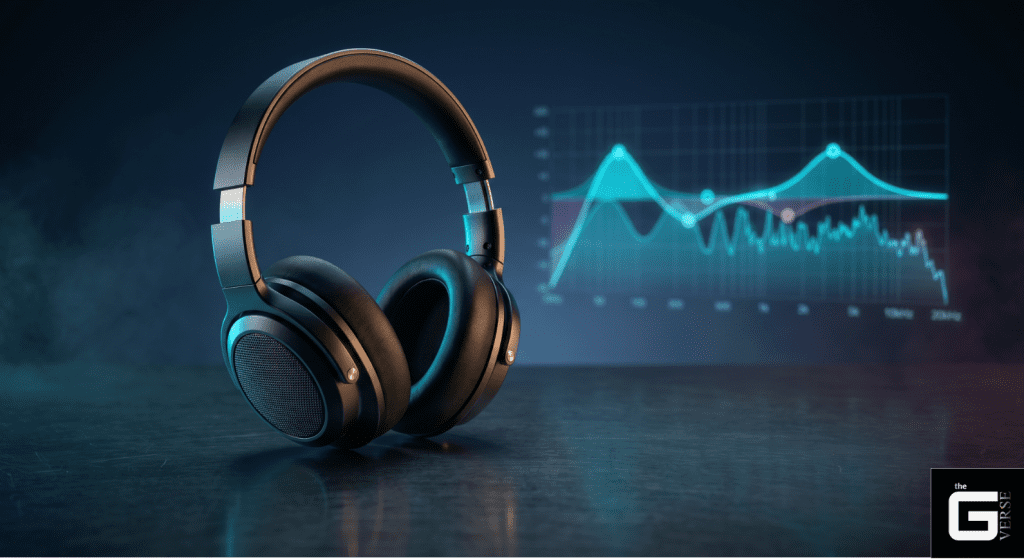
Quick Answer: What is EQ in headphones? Treat EQ like your ear’s personal sound director. It allows you to adjust the level of very specific sounds (using digital or analogue filters to change the amplitude of certain frequency bands). You can polish poor headphone tuning, stop loud background explosions from burying quiet footsteps in a game (mitigating acoustic masking), and set the sound exactly how you want it.
The kicker: A bass wave capable of vibrating your chest is going to completely disregard all that marketing mumbo-jumbo like “Mega Bass” printed on your headphone box. Physically pushing an EQ slider up basically changes how and when the soundwave hits your eardrum (fundamentally altering the phase and temporal alignment). If you mess with the sliders without understanding the underpinnings of each one, you will just wreck your audio with crispy distortion and smeared, sloppy details (total harmonic distortion or smeared transients).
If you really want your audio to sound good, it’s time to stop using those generic “Pop” or “Gaming” presets. For you to ACTUALLY master your headphones, we need to know exactly which frequencies to target, HOW to keep your audio from clipping (pre-amp gain mitigation), and HOW your software actually affects the sound. Let’s break it down.
What Does an Equalizer Do to Headphone Audio?
Hardware manufacturers often obscure the reality of digital signal processing behind vague proprietary branding. Understanding what does an equalizer requires stripping away the graphic interface and looking at the raw decibel adjustments. An equalizer is an amplitude modification algorithm that applies specific gain values to targeted frequency bandwidths.
The term “equalizer” originated in early telephone engineering, where high-frequency signal losses over long copper lines had to be corrected to ensure the transmission spectrum matched the receiving spectrum. Today, digital EQ calculations are performed using complex infinite-impulse-response (IIR) filters. The system physically requires more voltage from the amplifier to drive the transducer diaphragm to a wider excursion at that specific frequency bin. This amplitude splitting strictly dictates the perceived character of the sound quality.
When consumers ask what does EQ do, the answer is grounded entirely in voltage manipulation. It forces the dynamic driver to push more air at 60Hz or vibrate with less intensity at 8,000Hz. This direct mechanical manipulation defines what does EQ do in music, altering the harmonic balance before the sound ever reaches the tympanic membrane.
Understanding the Frequency Spectrum (Bass, Mids, and Treble)
The human auditory system interprets distinct frequency ranges as specific tonal characteristics. The 150Hz to 300Hz range dictates acoustic “density,” serving as the foundational bridge between bass and lower midrange. Excess energy in this specific pocket results in severe masking, suffocating the clarity of higher frequencies.
Frequencies plunging below 100Hz dictate physical “weight.” Whether it is a synthetic sub-bass drop or a big bass drum, this region is less about audible pitch and more about the kinetic impact of moving air. Professional mastering engineers isolate this band rigorously because unchecked low-frequency bass notes consume substantial amplifier headroom, starving the rest of the mix of available voltage.
An equalizer frequencies guide is entirely useless without understanding how these mathematical bands translate to human perception. Identifying what is treble in EQ requires looking above the 5kHz threshold, where transient sharpness and spatial “air” reside.
| Frequency Range (Hz) | Perceived Tone | Acoustic Application | Primary Risk of Over-Boosting |
| 20Hz – 100Hz | Sub-Bass / Weight | Cinematic explosions, kick drum body | Intermodulation distortion, rapid battery drain |
| 100Hz – 300Hz | Upper Bass / Density | Bass guitar harmonics, male vocal depth | Severe auditory masking (“mud”) |
| 300Hz – 2.5kHz | Midrange / Presence | Primary vocal intelligibility, lead guitars | “Honky” or telephone-like resonance |
| 2.5kHz – 5kHz | Upper Mids / Attack | Snare drum crack, footstep transients | Immediate acoustic listener fatigue |
| 5kHz – 20kHz | Treble / Air | Cymbal decay, spatial reverberation | Piercing sibilance, high-frequency hiss |
Consulting an equalizer frequencies chart reveals exactly where mechanical driver flaws attempt to hide within the acoustic spectrum.
How Equalization Alters the Perception of Soundstage
A persistent myth in audiophile communities claims that software manipulation physically widens the mechanical soundstage of a headphone. This is physically impossible. Headphone EQ cannot change the physical angle of the transducers or the impedance of the acoustic chamber inside the ear cup.
Unlike a car sound system or a portable speaker that bounces sound waves off physical room acoustics, headphones fire sound directly into the ear. The neurological processing of spatial audio cues relies heavily on specific high-frequency reflections. Boosting the 8kHz to 10kHz region artificially amplifies the spatial reverberation tails baked into the original stereo mix. This psychoacoustic trickery forces the brain to perceive a wider acoustic environment by magnifying the decay of distant sounds.
Having a sound equalizer explained properly means acknowledging that spatial perception is a neurological illusion. Manipulating what equalisation in music is simply alters the amplitude of the positional data already present in the recording, exaggerating the interaural level differences (ILD) that the brain uses to calculate acoustic distance.
Parametric vs. Graphic EQs: Decoding Advanced Headphone Settings
Standard consumer devices default to graphic equalizers, presenting listeners with a series of fixed-band visual sliders. These static interfaces, much like old analogue hardware knobs with printed frequency-range markings, are mathematically inadequate for surgical audio correction. Graphic interfaces lock the output to predetermined centre frequencies, typically octave intervals such as 32Hz, 64Hz, 125Hz, and 250Hz.
An equalizer for music demands infinite adjustability. A parametric EQ unlocks the three critical variables of digital filtering: centre frequency, gain, and bandwidth. If a specific headphone exhibits a harsh structural resonance spike at exactly 7,340Hz, a graphic equalizer is virtually useless.
A parametric equalizer for headphones allows the input of exact Hertz coordinates to apply micro-decibel cuts. Advanced PEQ systems utilize Butterworth filter approximations to ensure maximally flat magnitude responses in the passband. This prevents the introduction of artificial phase ripples that plague poorly coded graphic interfaces. In continuous-time linear filters, the Butterworth design achieves passband flatness at the expense of a wider transition band, which rolls off to 0 dB/octave in the stop band.
| Feature | Graphic Equalizer | Parametric Equalizer (PEQ) |
| Center Frequencies | Fixed (e.g., 10-band or 31-band intervals) | Infinitely adjustable (1Hz resolution) |
| Bandwidth (Q-Factor) | Locked / Pre-determined by manufacturer | Fully adjustable per individual band |
| Filter Types | Standard peak/bell filters only | Peak, High/Low Shelf, Pass-band, Notch |
| Phase Distortion | High (overlapping fixed filter artifacts) | Minimized (surgical, isolated corrections) |
| Use Case | Casual, broad tonal adjustments | Professional mastering, transducer correction |
Understanding what is an audio equalizer requires moving past simple visual sliders and embracing the mathematical reality of continuous-time digital filters.
The Critical Role of the Q-Factor in Parametric Equalization
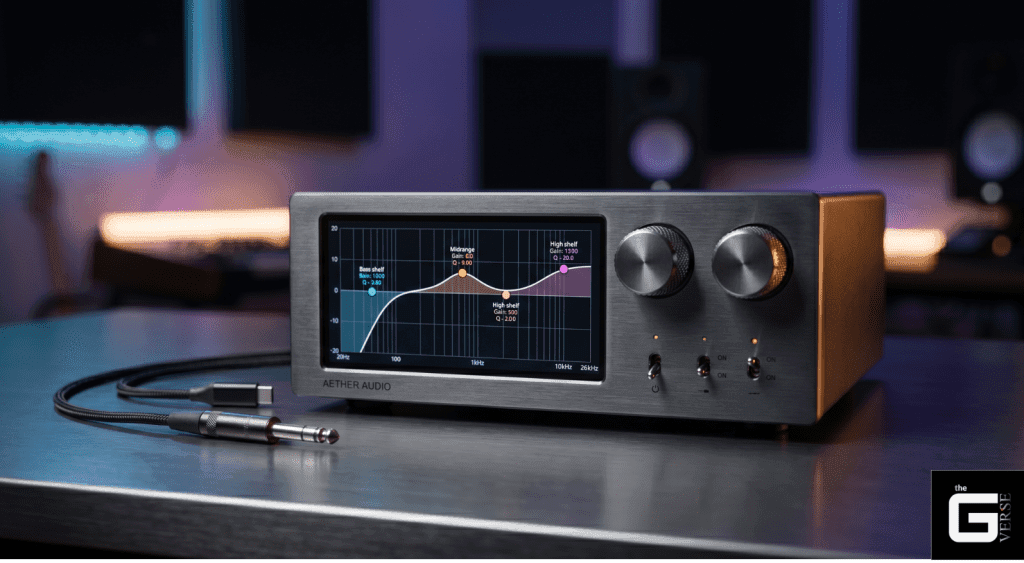
The Quality Factor (Q-factor) determines the exact operational bandwidth of a specific EQ point. A low Q-factor, such as 0.5, results in a wide, musically forgiving EQ curve that affects a broad range of adjacent frequencies. Conversely, a high Q-factor, such as 10.0, creates a razor-thin notch filter designed for surgical EQ corrections.
The mathematics dictating these eq points are absolute. The Q-factor is calculated by dividing the centre frequency by the total bandwidth of the affected range:
Q = fc / Δf
Knowing how to adjust an equaliser means understanding that boosting a 1kHz signal with a Q of 0.83 will simultaneously drag up the 400Hz and 1.6kHz frequencies. The higher the Q-factor, the steeper the phase shifts near the cutoff frequency.
In implementing complex DSP systems, the classical definition of the Q-factor is based on the angular half-power bandwidth.
🔬 Research Insight: According to the IEEE-standardised Audio EQ Cookbook equations formulated by Robert Bristow-Johnson, parametric bell filter transfer functions rely on the bilinear transform to map analogue prototypes to the digital domain. The quality factor strictly dictates the pole-zero placement in the z-plane, where α = sin(ω0) / 2Q, directly linking the steepness of the bandwidth to the mathematical stability of the infinite impulse response filter at the Nyquist limit. Reference [1], [2]
Deploying High-Pass, Low-Pass, and Shelving Filters
Standard Peak/Parametric/Bell Filters are insufficient for managing the extreme boundaries of the frequency spectrum. A low equalizer setting designed to remove sub-bass rumble requires dedicated High-Pass and Low-Pass Filters. A high-pass filter completely attenuates all acoustic energy below a defined threshold, with aggressive attenuation slopes such as -24dB/octave.
High Shelf and Low Shelf Filters operate differently, anchoring at a specific corner frequency and universally raising or lowering all frequencies beyond that point.
- High-Pass Filter (HPF): Deployed at 80Hz to cleanly amputate sub-bass mud without affecting the fundamental impact of the kick drum.
- Low Cut Filter / Low Shelf: Placed at 150Hz with a -3dB gain to elegantly thin out a bloated low-midrange response without severing the frequencies entirely.
- High-Shelf Filter: Anchored at 10kHz to universally inject “air” into a dark-sounding transducer, maintaining a flat horizontal boost up to the 20kHz limit.
- Notch Filter: An extreme, ultra-high Q-factor pass-band implementation used solely to kill piercing, narrow-band sibilance peaks.
Mastering how to set the equalizer for the best sound requires utilising these specific topological shapes rather than forcing bell curves to do the heavy lifting at the frequency extremes.
How to Use an Audio Equalizer: A Step-by-Step Tuning Guide
Blindly pushing digital faders guarantees a degraded audio signal. Applying frequency modifications requires a strict, methodological approach to prevent algorithmic clipping. Dedicated EQ apps provide the necessary tools to execute this.
Learning how to use audio equalizer software is an exercise in acoustic subtractive manufacturing.
Step 1: Secure an Uncoloured Baseline Signal. Disable all proprietary “spatial audio” or OS-level acoustic enhancements. Turn off any basic media player EQ or default music app presets. The hardware must be fed a pure, unadulterated source file to establish a baseline.
Step 2: Sweep for Transducer Resonances. Don’t just rely on standard musical material. Use a sinewave generator, play a logarithmic sweep, or run pink noise and pure test tones. Apply a single parametric band with a high Q-factor (e.g., 5.0) and a +6dB gain. Slowly sweep this peak across the 4kHz–10kHz spectrum. When the audio suddenly sounds intensely piercing, the exact hardware resonance frequency has been located.
Step 3: Apply Subtractive Notches. Invert that +6dB peak into a -4dB cut at the exact resonance frequency. Widen the Q-factor slightly to ensure the entire peak is nullified.
Step 4: Execute Broad Tonal Shaping. Utilise gentle, low Q-factor shelving filters to address the overall macro-tonality. If the headphone lacks bass, apply a low-shelf filter at 105Hz rather than peaking individual sub-bass bands.
Step 5: Calculate Pre-Amplification Penalties. Manage your input and output levels strictly via gain control. Hard-limit the final output by applying a negative pre-amp value equal to the highest positive decibel boost across the entire parametric profile.
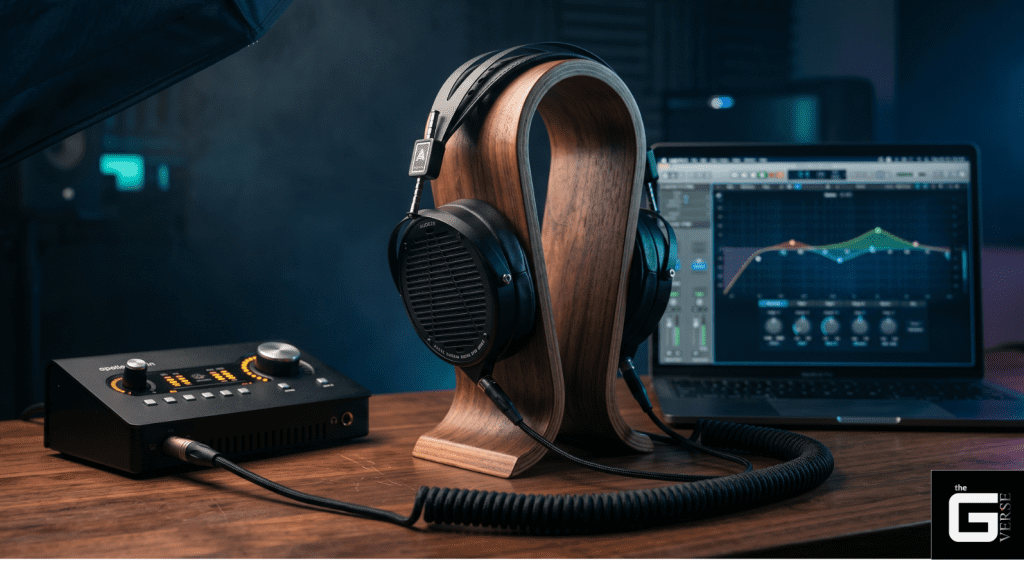
This methodology defines how to use an equalizer safely. Understanding how to use equalizer software is entirely about preserving the integrity of the digital-to-analogue conversion chain and preventing voltage overloads. To execute this properly, on Windows, you should utilise third-party software like Equalizer APO paired with the Peace GUI, or SoundSource on Mac OS X. For music production, standard tools like Logic’s Channel EQ or FL Studio’s native parametric EQ will suffice.
The Golden Rule of Audio: Cut Frequencies, Do Not Boost Them
The absolute mathematical limitation of digital audio is 0 decibels full scale (0 dBFS). The system literally runs out of binary headroom to represent the waveform if a signal surpasses this absolute ceiling. When boosting a frequency band pushes the master output beyond 0 dBFS, the digital waveform violently flattens against the ceiling, creating severe digital clipping.
This introduces catastrophic total harmonic distortion (THD). The resulting audio will sound harsh, crackling, and physically fatiguing. Amplifiers clipping against their voltage rails generate excessive high-frequency energy that rapidly overheats speaker voice coils.
The science of how to equalizer settings demands a subtractive approach. Even when strictly cutting frequencies, an acoustic phenomenon known as the Gibbs phenomenon occurs. Removing high-frequency harmonic content from a complex waveform via a low-pass or notch filter can actually cause the remaining waveform to overshoot its original amplitude.
Therefore, even purely subtractive EQ manoeuvres can force a normalised audio track to clip. Mastering how to use sound equalizer software requires acknowledging these aggressive digital thresholds.
Calculating Necessary Pre-Amp Gain Reductions
Failing to reduce the pre-amp gain renders any parametric profile useless. If the biggest boost on the equalizer is a +5.5dB low-shelf filter, the overall digital volume must be attenuated before the EQ stage.
The mathematics of how to EQ headphones requires a strict inverse relationship:
- Maximum Positive EQ Boost: +5.5dB at 85Hz.
- Required Pre-Amp Adjustment: -5.6dB (adding a 0.1dB safety buffer).
- Resulting Headroom: The 85Hz band now peaks at exactly 0 dB relative to the original baseline, while the rest of the spectrum operates at -5.6dB.
This is the only mathematically sound method for how to equalize headphones without triggering a massive spike in THD during heavy bass transients. To compensate for the lowered digital volume, listeners simply turn up the physical analogue amplifier output.
🔬 Research Insight: According to mathematical analyses of the Gibbs phenomenon, the N-th partial Fourier series of a function with a jump discontinuity produces an unavoidable amplitude overshoot. As an audio signal is band-limited via subtractive equalization, the truncation of the Dirichlet kernel forces the remaining waveform to ring and overshoot its pre-filtered amplitude by approximately 8.95%, demanding rigorous pre-amp headroom management. Reference [1], [2]
The Biggest Equalization Mistakes Audiophiles and Gamers Make
A massive discrepancy exists between looking at an acoustic measurement graph and actually wearing a physical headphone. Forums are flooded with mathematically perfect equalizer profiles that sound utterly lifeless in practice. Even top-tier audio products like the Dan Clark Stealth, a classic Sennheiser HD600, a Beyer 880, or the hyper-premium Titanium Grey ABYSS Diana TC Headphone require fine-tuning beyond standard presets. Regardless of advanced Driver Technology, physical tuning is never perfect.
The obsession with forcing every dynamic driver into a perfectly flat line ignores the biomechanical reality of human hearing. Applying the best equalizer settings for headphones involves accounting for individual acoustic impedance and the temporal cost of applying digital filters. Searching for the best eq settings for earbuds often leads users toward algorithmic auto-correction software, which carries severe hidden penalties.
Why Mathematical “AutoEQ” Profiles Frequently Sound Unnatural
Standardized AutoEQ profiles pull raw headphone measurements from KEMAR measurement rigs and attempt to mathematically invert the acoustic flaws. Many algorithms blindly chase the Harman Target Response Curve—an aggregate preference metric developed by Harman International—or aim for a sterile diffuse-field curve. While the math is flawless, the anatomical assumptions are entirely false.
A standard KEMAR ear simulator utilizes a rigid metallic coupler with a 1.3 cm³ volume. Below 1.3 kHz, the impedance of a human ear is stiffness-controlled by the air volume trapped between the headphone driver and the eardrum. However, as the frequency increases above 1.3 kHz, human ear impedance transitions to being mass-controlled due to the physical weight and resonance of the human eardrum.
A rigid measurement rig completely fails to replicate this mass-controlled transition and the subsequent ear canal resonances that occur above 7 kHz. Applying aggressive equalizer settings for music based on rigid coupler data forces the headphone to overcompensate for resonances that do not exist inside a living human ear canal.
The best equalizer setting for music must be adjusted subjectively above 5kHz to account for the unique acoustic impedance of the listener’s individual cartilage and ear canal length. Utilizing supplementary gear or tools like SoundID reference can help, but ultimately, an SPL meter won’t tell you what your own eardrum is experiencing.
Group Delay vs. Linear Phase Pre-Ringing Penalties
Every digital filter introduces a temporal distortion penalty. Frequency amplitude cannot be altered without altering time. This basic acoustic law is ignored by virtually every consumer, explaining how to use an equalizer.
Standard infinite impulse response (IIR) equalizers are “minimum phase.” They introduce a frequency-dependent temporal shift known as group delay. The lower the frequency, the longer the delay. While a 50Hz bass note might be delayed by a few milliseconds, the 10kHz treble arrives instantly.
Conversely, “linear phase” equalizers use finite impulse response (FIR) filters to delay all frequencies equally, preserving the exact phase alignment. However, linear phase introduces “pre-ringing”—an unnatural acoustic artefact where an audible echo of a transient actually plays before the transient itself.
| Filter Topology | Phase Alignment | Temporal Distortion Type | Primary Drawback |
| Minimum Phase (IIR) | Non-linear (warped) | Group Delay (Post-ringing) | Phase cancellation during parallel processing |
| Linear Phase (FIR) | Perfectly constant | Pre-ringing (Echo before transient) | Transient smearing, high computational latency |
Knowing how to use a sound equalizer requires choosing the lesser penalty. For real-time tactical gaming, the processing latency of the linear phase is unacceptable. For professional mastering, the phase smearing of the minimum phase is destructive.
🔬 Research Insight: According to digital signal processing literature regarding finite impulse response systems, constant group delay is exclusively achievable through linear phase FIR filters. However, the mathematical consequence of ensuring symmetrical impulse responses in the time domain dictates the generation of pre-ringing artifacts—quantifiable ripples preceding the main transient energy that severely degrade percussive impact perception. Reference [1], [2]
Proprietary Technologies: Adaptive Audio and Hardware Interfaces
High-end wireless manufacturers have shifted away from user-controlled third-party EQ apps entirely. They are replacing traditional user-facing equalizers with closed-loop computational audio platforms.
These systems operate independently of tonal preference. They utilize active noise cancellation microprocessors to constantly survey the acoustic environment and dynamically rewrite the internal DSP targets in real time. Analyzing what is eq mode on headphones in the modern wireless era requires deconstructing actual patent schematics. Pressing what is an eq button on a modern headset triggers a cascade of digital logic gates rather than a simple volume shift.
Deconstructing Apple’s Adaptive EQ in AirPods
Apple’s marketing materials rarely explain the mechanics of its computational audio. However, examining US Patent 9515629B2 reveals the exact closed-loop architecture powering Adaptive EQ.
The system relies on an inward-facing error microphone situated directly in front of the dynamic driver. Because physical ear canal seals vary widely, low-frequency pressure leaks constantly. The Active Noise Cancellation (ANC) processor computes an “S-filter,” mathematically estimating the real-time transfer function between the speaker and the error microphone.
Understanding what adaptive EQ in AirPods is requires looking at the digital filter coefficients. The processor continuously analyses the power-ratio values for each frequency bin. If the system detects a sudden drop in 100Hz energy due to a broken seal, the adaptive EQ processor instantly performs a table lookup to retrieve a new set of digital filter coefficients. It then applies a variable-gain low-frequency shelf filter to aggressively boost the missing bass, smoothing the power ratio across consecutive data frames via a secondary smoothing filter.
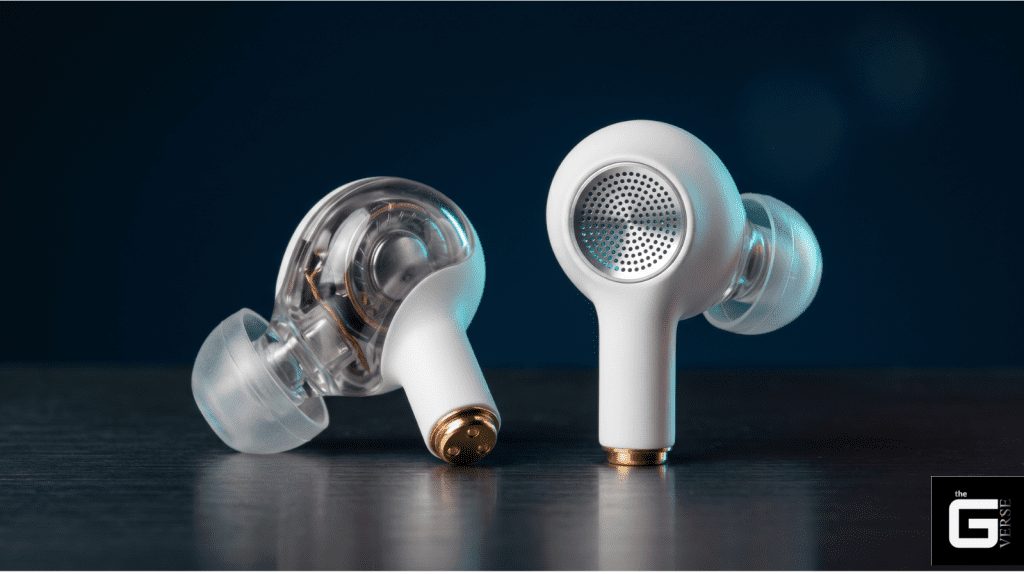
This process is not traditional equalization; it is relentless, microsecond-level acoustic error correction operating outside of user control. In many ways, computational audio processing in modern earbuds behaves more like an advanced hearing aid than traditional hi-fi gear. The same logic is aggressively being applied to bone conduction technology as well.
Deciphering Hardware “EQ Mode” Indicators
Gaming peripherals handle DSP states through rigid, latching hardware switches. When a user toggles an eq mode button on a proprietary headset, they cycle through hard-coded ROM profiles that dictate specific frequency-band amplitude splitting.
Hardware manuals reveal that pressing the EQ button on headphones initiates a global DSP override, bypassing the operating system entirely.
- Tactical / Scout Modes: Applies an aggressive 250Hz low-cut and drives a massive shelf boost at 3kHz to isolate transient cues.
- Music / Immersive Modes: Disables the high-pass filters, allowing sub-bass frequencies to clip safely at 0 dBFS using hard-coded brickwall limiters.
These hardware modes execute their finite-impulse-response filters directly on the headset’s onboard silicon, ensuring zero-latency performance.
Optimizing Frequency Curves for Tactical Gaming vs. High-Fidelity Music
The requirements for a competitive esports advantage are violently opposed to the requirements for high-fidelity harmonic reproduction. Neutral tuning guarantees a disadvantage in a tactical shooter.
Applying bass boosted eq settings for a competitive match is acoustic sabotage. It forces low-frequency environmental noise to mask high-frequency directional cues. True eq balance is entirely contextual. The parametric coordinates required to isolate a digital footstep asset will absolutely ruin the playback of a lossless music track.
The Competitive First-Person Shooter Footstep Isolation Curve
The audio engines powering modern tactical shooters are plagued by structural resonance. Ambient building hums, wind noise, and distant explosive reverberations heavily occupy the 20Hz to 250Hz spectrum. Acoustic metamaterials in real-world construction absorb frequencies from 156Hz to 667Hz, but digital game engines often synthesize these low-frequency resonances without natural decay.
Acoustic masking dictates that loud, low-frequency sustained sounds will neurologically mask quieter, high-frequency transients. Because synthesized footsteps sit in the upper-midrange, they must be surgically extracted from the low-end mud.
Applying a 100Hz high-pass filter completely eradicates the game engine’s environmental masking, leaving a sterile, tactical acoustic void.
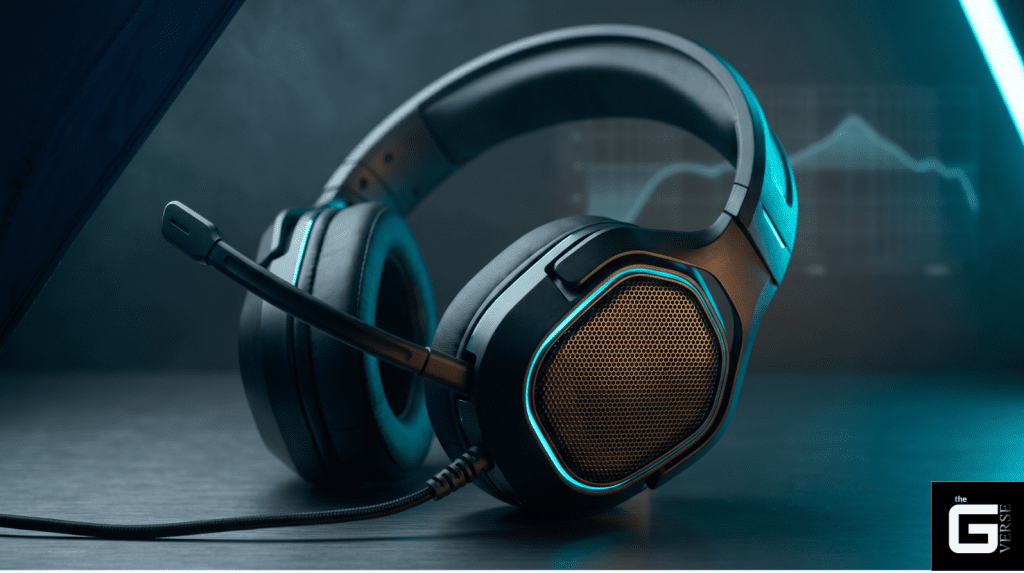
To optimize how to set a equalizer for best sound in an esports environment, the following parametric coordinates are recommended. Note that this profile intentionally uses targeted boosts as a deliberate exception to the subtractive golden rule the goal here is tactical extraction, not tonal balance, and proper pre-amp compensation must still be applied:
- Low-Cut / High-Pass Filter: 100Hz with a steep -24dB/octave slope. (Eliminates building resonance and engine rumble).
- Mud Cut (Bell Filter): 150Hz to 250Hz with a -3dB gain and Q of 1.0. (Reduces team voice-chat proximity effect).
- Footstep Transient Peak: 3000Hz (3kHz) with a +4.5dB gain and a Q of 1.2. (Aggressively isolates the “crunch” of ground textures).
- Harshness Notch: 1000Hz (1kHz) with a -2dB cut and a Q of 2.0. (Prevents the 3kHz boost from causing immediate ear bleeding when a gun fires).
These are not recommendations for casual immersion. Aggressively filtering out masking frequencies drastically lowers neurological reaction latency by isolating specific spatial vectors.
Rectifying “Smiley Face” V-Shape Acoustic Fatigue
Consumer EQ headphones default to the infamous V-shape curve: massively bloated bass and razor-sharp, piercing treble. Visually on an EQ graph, it looks like a smiley eq.
This profile causes severe acoustic fatigue. The extreme 8kHz to 10kHz transient spikes physically exhaust the tympanic membrane, while the recessed 500Hz to 1kHz midrange buries vocal presence and dialogue clarity. Fixing default headphones settings requires mathematically inverting this corporate tuning.
To recover sound clarity, apply a wide-Q (+2dB) parametric boost centered at 800Hz. To kill the piercing high-frequency transients without destroying spatial air, deploy a high-shelf filter anchored at 7.5kHz with a strict -3dB attenuation. If you want the soaring vocals in the Halo Theme or an action movie to shine, this subtractive methodology forces the dynamic driver back into harmonic alignment without risking digital clipping. Understanding the Loudness Curve and Equal Loudness contours means you apply Loudness compensation manually via these precise cuts.
FAQ: What is EQ in Headphones — Top Technical Questions Answered
What is equalization in audio? Equalization is the digital or analog manipulation of frequency amplitudes within an audio signal. It uses specific mathematical filters to boost or attenuate target ranges across the 20Hz–20kHz acoustic spectrum, altering the final voltage sent to the speaker driver.
What is a music equalizer physically doing to my headphones? An equalizer changes the amplitude of specific frequencies before the digital-to-analog conversion stage. It forces the internal amplifier to push more or less voltage at targeted intervals, directly dictating how far and how fast the headphone’s dynamic driver diaphragm moves.
What is an equalizer in audio processing latency? Equalizers introduce minor processing latency depending on their filter topology. Minimum phase equalizers introduce frequency-dependent group delay, while linear phase equalizers use intensive computational FIR filters that introduce uniform latency and potential pre-ringing artefacts.
What EQ settings prevent total harmonic distortion? To prevent digital clipping and total harmonic distortion at 0 dBFS, a negative pre-amplifier gain reduction must be applied. The pre-amp reduction must equal or slightly exceed the highest positive decibel boost across the entire parametric filter profile.
What does EQ mode meaning on a gaming headset imply? Hardware EQ modes are hard-coded digital signal-processing states built into the headset’s onboard silicon. Toggling these modes cycles through fixed finite impulse response (FIR) or infinite impulse response (IIR) filters, completely bypassing the computer’s operating system.
How to use an equaliser without ruining spatial audio? Avoid boosting frequencies heavily above 7kHz. The perception of spatial audio relies heavily on delicate, high-frequency reflections and resonance cues. Over-boosting this range with a wide Q-factor destroys the neurological perception of soundstage depth.
How to adjust the equalizer for competitive tactical shooters? Apply an aggressive 100Hz high-pass filter to remove sub-bass environmental masking, and deploy a +4dB parametric peak at roughly 3kHz (Q-factor 1.2). This isolates the high-midrange transients where digital footstep assets reside, prioritising tactical location data over immersion.
What do equalizers do to battery life on wireless headphones? Applying heavy bass-boosted EQ curves forces the internal amplifier to draw significantly more power from the battery to physically drive the transducer diaphragm at lower frequencies, measurably reducing the total wireless playback time.
How to increase sound of headphones using EQ? An equalizer cannot safely be used to increase total output volume. Pushing EQ faders above 0 dBFS causes catastrophic digital clipping and waveform flattening. To increase safe volume, the analogue amplifier dial must be adjusted or a digital brickwall limiter deployed, not a parametric equalizer.
The Honest Verdict: Is Hardware EQ Actually Worth It?
Let’s be real. Equalization isn’t just some optional, fun filter; it’s an absolute must if you want your headphones to sound right. The data proves it: right out of the box, almost no headphone is perfectly tuned for a real human ear. Those fancy robotic measurement rigs in labs (KEMAR) simply can’t copy how a real human eardrum reacts to high-pitched sounds (the mass-controlled impedance shift above 1.3 kHz). So, if you just rely on the default profile in your headphone app, you’re guaranteed to get a compromised sound.
Think of software EQ as the magic bridge that fixes the gap between cheap hardware and true, high-quality audio. But you have to respect the math. Ditch the basic sliders on your phone and get a strong third-party EQ app. Focus on making surgical, precise cuts using the Q-Factor, and remember the golden rule: always cut problem frequencies, never boost them (avoid additive procedures).
Whether you’re killing the muddy background rumble in a competitive shooter game (deploying a 100Hz high-pass filter) or fixing the harsh, crackling sound of digital distortion (taming the Gibbs phenomenon), taking control of your frequency spectrum is unequivocally the single biggest, cheapest upgrade you can make to your entire audio setup.