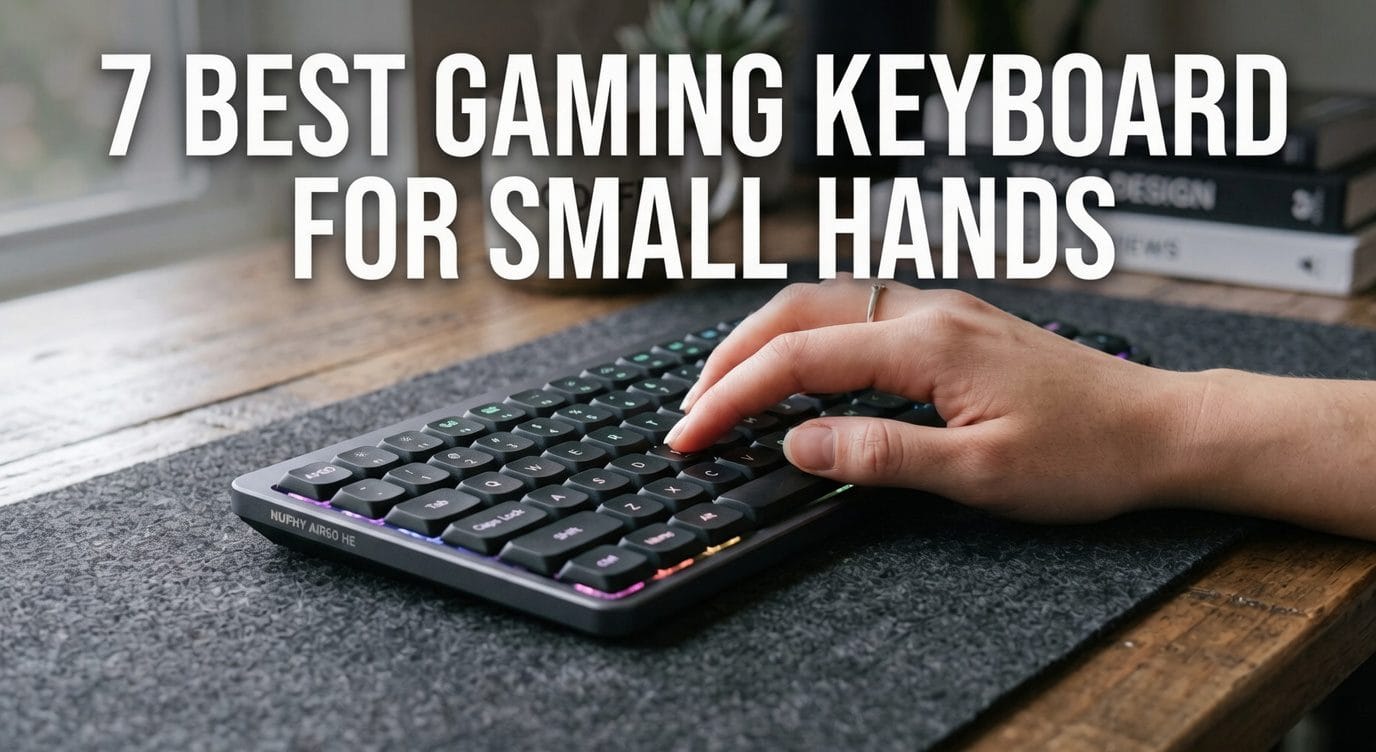
7 Best Gaming Keyboard for Small Hands (2026): Why Layout Size Isn’t Key Spacing
Your pinky leaves the home row to find Escape and never quite makes it back. Arrow keys live on a layer you keep forgetting. Ctrl+Shift+W becomes a wrist contortion instead of a shortcut.
So you do what every roundup tells you to do: buy a 60%. Smaller board, smaller reach, problem solved.
It isn’t. Key pitch the center-to-center distance between adjacent keycaps — is standardized at 19.05 mm across standard mechanical keyboards, no matter the layout. Shrinking to a 60% removes keys and narrows the chassis. It does not move the remaining keys closer to your fingers.
What actually reduces strain for a smaller hand is a different list: how tall the deck sits, how far the switch travels, how much force it takes to fire, and whether the firmware can drag the far keys back to the home row. This guide ranks seven boards on exactly those four variables — and tells you where the published numbers run out.
The best gaming keyboard for small hands is the NuPhy Air60 HE: a 13.2 mm front deck paired with a magnetic switch you can set to fire at 0.1 mm. Key pitch is fixed at 19.05 mm on every mechanical keyboard, so a smaller layout narrows the chassis — it never shortens the reach.
Quick Verdict: The Best Gaming Keyboards for Small Hands
Best Overall (Low-Profile) — NuPhy Air60 HE. NuPhy’s spec sheet puts the front edge at 13.2 mm; TechPowerUp credits the dual-rail switch housing with reducing the wobble common to full-size magnetic switches.
Best Premium 65% — ASUS ROG Falchion Ace HFX. Seventy keys inside a 315 mm chassis — roughly 60% width with arrows intact — on a magnetic switch adjustable from 0.1 to 4.0 mm.
Best Wireless Low-Profile — Keychron K3 Max. Gateron’s low-profile switch runs 31% slimmer than a normal-profile switch, per Keychron, and QMK/VIA gives you full custom layers over a 1000 Hz 2.4 GHz link.
Best Budget — Royal Kludge R65. Tom’s Hardware names it the best budget board of its size and reports a typing sound on par with keyboards costing twice as much.
Best Low-Profile All-Rounder — Lofree Flow 2. PC Gamer found the enlarged keycaps easier to locate by touch than the original Flow’s; Lofree’s spec puts the contact surface at 217 mm², up from 194 mm².
Best Magnetic (Hall-Effect) — SteelSeries Apex Pro Mini Gen 3. Forty per-key actuation levels between 0.1 and 4.0 mm, and TechGearLab’s force-displacement rig measured the OmniPoint 3.0 switch at 36.91 gf.
Best for Competitive Esports — Razer Huntsman V3 Pro Mini. GamesRadar calls the tap-for-arrows modifier cluster a must-beat feature — arrow keys under your right hand with no layer and no stretch.
Comparison Table
| Keyboard | Best for | Layout (keys) | Switch type & force | Travel / adjustable actuation | Deck profile | Connectivity |
| NuPhy Air60 HE | Best overall (low-profile) | 60% (61) | Gateron LP Magnetic Jade Pro — linear Hall-effect, ~40 g (PC Gamer) | 3.5 mm travel; actuation 0.1–3.3 mm; 0.01 mm RT sensitivity | Low-profile — 13.2 mm front / 18.8 mm rear (NuPhy) | Wired USB-C |
| ASUS ROG Falchion Ace HFX | Best premium 65% | 65% (70) | ROG HFX Magnetic — linear Hall-effect; 40/55 gf (Root-Nation) vs 45 g (Switch and Click) — ASUS publishes neither | 4.0 mm travel; actuation 0.1–4.0 mm | Standard (not published) | Wired, dual USB-C |
| Keychron K3 Max | Best wireless low-profile | 75% (84) | Gateron LP Mechanical Red — linear; force not published | Low-profile class; fixed actuation | Low-profile (not published) | 2.4 GHz + BT 5.1 + wired |
| Royal Kludge R65 | Best budget | 65% (66) | RK Cream — linear, pre-lubed; force not published | Standard MX class; fixed actuation | Standard (not published) | Wired or tri-mode (separate SKUs) |
| Lofree Flow 2 | Best low-profile all-rounder | 75% (84); 65% and 96% options | Cloud Surfer — LP POM linear; force not published | Low-profile class; fixed actuation | Low-profile — ~21 mm front incl. keycaps (SemiPro) | 2.4 GHz + BT 5.3 + wired |
| SteelSeries Apex Pro Mini Gen 3 | Best magnetic | 60% (61) | OmniPoint 3.0 HyperMagnetic — linear; 36.91 gf measured (TechGearLab) | 4.0 mm travel; actuation 0.1–4.0 mm, 40 levels | Standard — 40.3 mm (Windows Central) | Wired USB-C |
| Razer Huntsman V3 Pro Mini | Best for esports | 60% (61) | Razer Analog Optical Gen-2 — linear, 40 g (GamesRadar) | 4.0 mm range; actuation 0.1–4.0 mm | Standard (not published) | Wired USB-C |
1. NuPhy Air60 HE — Best Overall (Low-Profile)
The Hook
Two of the four small-hands levers are hardware, and this board pulls both. The deck drops to 13.2 mm at the front edge, and the trigger point is yours to set.
Overview
The Air60 HE is a 60% ANSI board — 61 keys, top-mounted, aluminum top case over an ABS bottom. Its switch is the Gateron Low-Profile Magnetic Jade Pro: linear, Hall-effect, all-POM, on a dual-rail dustproof stem.
Because the switch is magnetic, actuation isn’t fixed. You set it between 0.1 mm and 3.3 mm in NuPhyIO, NuPhy’s browser configurator — no driver install, and up to 12 layers. Rapid Trigger sensitivity reaches 0.01 mm, and the PCB scans at 8000 Hz.
The trade is connectivity. There is no battery and no wireless. TechPowerUp puts it plainly: the board is too small to fit a cell.
Core Specs
- Layout: 60% ANSI, 61 keys; top mount
- Switch: Gateron LP Magnetic Jade Pro — linear Hall-effect, all-POM, dual-rail stem
- Force / travel: ~40 g with 3.5 mm total travel (PC Gamer); the non-Pro Jade is about 10 g lighter
- Actuation: 0.1–3.3 mm; Rapid Trigger sensitivity to 0.01 mm
- Polling: 8000 Hz polling and PCB scan rate
- Case: 297.2 × 107.2 mm; front 13.2 mm / rear 18.8 mm; 534 g; three angles (3.1° / 7° / 10°)
- Keycaps: low-profile five-sided dye-sub PBT, nSA profile
- Connection: wired USB-C only · Software: NuPhyIO web configurator
Acoustic Profile & Typing Feel
Full-size Hall-effect switches wobble. TechPowerUp credits the Jade Pro’s tight-tolerance dual rails with reducing that instability — which matters more, not less, when a smaller finger lands slightly off-center.
There is no gasket here, and NuPhy says so. Its build notes state that gasket mounts, PC/POM plates, sound dampers and switch pads were all excluded to protect travel accuracy, leaving PCB foam, plate foam and bottom silicone to do the acoustic work.
PC Gamer focuses on the trigger instead: a 0.01 mm actuation and reset point, producing what it calls some of the zippiest Counter-Strike 2 responsiveness it has encountered on a low-profile board.
Pros & Cons
Pros
- 13.2 mm front deck — the lowest figure logged in this guide
- Actuation to 0.1 mm; Rapid Trigger sensitivity to 0.01 mm
- Dual-rail stem reduces magnetic-switch wobble (TechPowerUp)
- Browser-based config with 12 layers — no driver install
- 8000 Hz polling and scan rate
Cons
- Wired-only, no battery — one of the two drawbacks Tom’s Guide names
- Tom’s Guide’s second: LP magnetic switches are new, so aftermarket options are thin
- A true 60% — arrows sit on a layer you have to build
- No gasket mount, by NuPhy’s own admission
Best For
The competitive player with a small hand span who wants the shortest possible press and the lowest possible deck, and games where a cable is a non-issue.
The Verdict
Two hardware levers, one board. All four adjustable boards here reach 0.1 mm, but only the NuPhy does it from 13.2 mm off the desk — and TechPowerUp’s dual-rail finding is what stops that short trigger from also being a sloppy one.
2. ASUS ROG Falchion Ace HFX — Best Premium 65%
The Hook
You want arrow keys. You do not want the desk width they usually cost. ASUS solved that geometry problem before it solved anything else.
Overview
The Falchion Ace HFX carries 70 keys in a 315 mm frame weighing about 643 g — a genuine 65% layout, arrows and nav included, in roughly the width of a 60%.
Underneath sit ASUS’s ROG HFX magnetic switches: linear Hall-effect, 4.0 mm travel, pre-lubed, with a walled stem. Actuation adjusts from 0.1 to 4.0 mm, with a hardware Rapid Trigger toggle and Speed Tap for SOCD. Polling runs at 8000 Hz, which ASUS rates at 0.125 ms.
Adjustments happen on the board itself — a multi-function button and touch panel change the actuation point without opening software. Two USB-C ports toggle between two PCs.
Core Specs
- Layout: 65% ANSI, 70 keys; 315 mm long; ~643 g (GeekaWhat)
- Switch: ROG HFX Magnetic — linear Hall-effect, 4.0 mm travel, pre-lubed, walled stem
- Force: contested — Root-Nation logs 40 gf initial rising to 55 gf at bottom-out; Switch and Click logs 45 g. ASUS publishes no figure
- Actuation: 0.1–4.0 mm; Rapid Trigger toggle; Speed Tap (SOCD)
- Polling: 8000 Hz (0.125 ms, per ASUS)
- Mount: silicone gasket + five-layer dampening (two PORON, three silicone, per ASUS)
- Keycaps: double-shot PBT, Cherry profile (some regions ship UV-coated ABS)
- Hot-swap: HFX sockets only · Connection: wired, dual USB-C
Acoustic Profile & Typing Feel
GeekaWhat credits the pre-lubed stems with bottoming out virtually without resistance, and the walled stem with cutting keycap wobble. It attributes the thock to the linear switches at bottom-out, and describes the five-layer dampening and gasket as producing a smooth typing experience rather than a quiet one. Switch and Click flags the structural limit: for a gasket board, this one is a bit stiff.
Then there is the caveat no other roundup surfaces. GeekaWhat tested the board at three actuation points and found that at 1 mm, ordinary typing produced double-registered keys. It settled on the deepest 4.0 mm setting for typing.
So do not crank every key to 0.1 mm. Set the movement cluster shallow and leave the alphas deep. That is exactly why per-key actuation exists.
Pros & Cons
Pros
- 70 keys — arrows and nav — inside a 315 mm chassis
- Actuation 0.1–4.0 mm with a hardware Rapid Trigger toggle
- Five-layer dampening plus a silicone gasket mount
- Actuation changes on-board via the touch panel, no software
- Dual USB-C with two-PC toggle
Cons
- Stiff for a gasket board — Switch and Click
- Very low actuation points cause double-registered keys when typing — GeekaWhat
- Hot-swap accepts HFX switches only; wired-only
- ASUS publishes no actuation-force figure, and reviewers who measured it disagree
Best For
The player who refuses to give up dedicated arrow keys but has no desk width to spare, and wants to retune actuation without alt-tabbing into software.
The Verdict
Buy the geometry, not the flex. Switch and Click’s stiff-gasket finding means the five-layer stack is damping rather than cushioning, and GeekaWhat’s double-registration warning makes the 0.1 mm floor a gaming setting rather than a typing one. What you are paying for is 70 keys inside 315 mm, which nothing else here delivers.
3. Keychron K3 Max — Best Wireless Low-Profile
The Hook
The board that lets you delete the stretch instead of enduring it. Map arrows, nav and modifiers onto the home row and never leave it.
Overview
The K3 Max is a low-profile 75% — 84 keys, ABS-and-aluminum frame, north-facing switches. Gateron’s low-profile mechanical switch is, per Keychron, 31% slimmer than a normal-profile switch, which keeps both the deck and the travel short.
Feature the Gateron LP Red for gaming: linear, no bump. Brown, Blue and Banana are also sold, and the RGB version is hot-swappable — with low-profile MX mechanical switches only, since QMK does not support LP optical.
Connectivity is why this is the wireless pick: 2.4 GHz, Bluetooth 5.1 and wired USB-C, on a 1550 mAh cell.
Core Specs
- Layout: 75% ANSI, 84 keys; low-profile; ABS + aluminum; north-facing
- Switch: Gateron LP Mechanical Red — linear. Force not published by Keychron
- Hot-swap: RGB version only — LP MX mechanical
- Connection: 2.4 GHz + Bluetooth 5.1 + wired USB-C
- Polling: 1000 Hz on 2.4 GHz and wired; 90 Hz on Bluetooth
- Battery: 1550 mAh
- Keycaps: low-profile double-shot PBT, LSA profile
- Software: QMK/VIA via the Keychron Launcher web app
Acoustic Profile & Typing Feel
Start with the structural note: this is a standard low-profile plate build, not a gasket mount. The acoustic work is done by foam, and Keychron’s own build documentation is the source — read it as a manufacturer claim, not a lab finding.
The useful spec sits upstream of sound. Gateron’s LP switch is 31% slimmer than a normal-profile one, which shortens the press and the deck simultaneously. Where the board separates itself is QMK/VIA: Gear43’s review centres on that customizability, and full per-key remapping means arrows, nav and modifiers can all be pulled onto the home row. A far key you never reach for is not a reach problem.
Gear43 also lands the caveat that matters most here, and we are not burying it: pressing the wrong key happens more often than it should, with Shift and Caps Lock catching the reviewer repeatedly. Budget an adjustment week.
Pros & Cons
Pros
- Low deck and short travel — the LP switch is 31% slimmer, per Keychron
- Full QMK/VIA remapping and custom layers via a web app
- Tri-mode with 1000 Hz on 2.4 GHz
- Hot-swappable on the RGB version
Cons
- Bluetooth polls at just 90 Hz — game on 2.4 GHz or wired, never on BT
- Accidental modifier and Caps Lock presses are common — Gear43
- Not a gasket mount, despite the foam stack
- Fixed actuation — no adjustable trigger point
Best For
The small-handed player who wants wireless and will spend an evening in VIA building a home-row layer that puts arrows, nav and modifiers permanently under their fingers.
The Verdict
If wireless is non-negotiable, this is the compromise worth making — as long as you know which compromise it is. You trade the adjustable trigger for a low deck, a 31%-slimmer switch and the deepest remapping in the roster, and you agree to game on 2.4 GHz rather than the 90 Hz Bluetooth link. Gear43’s mis-press warning is the price; the layers are the payoff.
4. Royal Kludge R65 — Best Budget
The Hook
Arrow keys, a gasket structure and MDA caps at the bottom of the price ladder — and, unusually at this price, a Class A publication has actually lived with it.
Overview
Despite listing titles calling it a “60%,” the R65 is a 65% board: 66 keys, with a dedicated arrow cluster. RK’s own store lists it as a 65%. That matters, because arrows-on-a-layer is the most common small-hands complaint on a true 60%.
RK’s Cream switch is linear and pre-lubed, on a hot-swap PCB taking 3-pin and 5-pin switches. The case uses a gasket-mounted structure with a five-layer sound-absorbing stack and PORON cushioning between PCB and case. Keycaps are MDA-profile double-shot PBT — a wide, dished top.
One buying note: the wired and tri-mode R65 are different SKUs. Confirm which one you are ordering.
Core Specs
- Layout: 65%, 66 keys, with dedicated arrow keys
- Switch: RK Cream — linear, pre-lubed; hot-swap 3-pin/5-pin. Force not published
- Mount: gasket structure, five-layer stack, PORON between PCB and case
- Keycaps: MDA-profile double-shot PBT
- Chassis: essentially all plastic apart from the knob (Tom’s Hardware)
- Software: QMK/VIA — but no software control of RGB; lighting is key-combo only
- Connection: wired or tri-mode — separate SKUs
Acoustic Profile & Typing Feel
Royal Kludge’s marketing calls the sound “creamy,” which tells you nothing. Tom’s Hardware, which named the R65 its best budget pick in this size class, has used one as a daily driver for over a year and reports something more useful: the lubed cream linears feel very smooth, and the typing sound is on par with keyboards costing twice as much.
The same review supplies the honest limit. The gasket mount is real but far from the springiest, and the chassis is essentially all plastic — that is where the corner was cut to hit the price.
The MDA keycap profile is the underrated part for a smaller hand. A wide, dished top gives a fingertip more landing area and a shallower slope to slide off — the opposite of what a tall, sculpted cap does.
Pros & Cons
Pros
- A true 65% with real arrow keys — no layer required
- Typing sound on par with keyboards at twice the price — Tom’s Hardware
- Gasket structure with a five-layer damping stack
- MDA-profile PBT — wide, dished landing surface
- Hot-swap plus QMK/VIA, at the lowest outlay in this guide
Cons
- The gasket is far from the springiest — Tom’s Hardware
- Essentially an all-plastic chassis
- No software control of the RGB — key combos only
- Two SKUs under similar names — easy to order the wrong one
- Fixed actuation; standard-height case, so no low-profile benefit
Best For
The budget-constrained player with small hands who wants dedicated arrow keys and a wide-topped keycap profile, and would rather spend the savings on a mouse.
The Verdict
Tom’s Hardware has run this board as a daily driver for over a year and rates its sound against keyboards costing twice as much. That is a stronger endorsement than most boards here carry, and it comes from the cheapest one. The gasket is stiffer than the marketing implies and the shell is plastic — neither of which touches the two things a small hand actually wants here: arrow keys and MDA caps.
5. Lofree Flow 2 — Best Low-Profile All-Rounder
The Hook
Most low-profile boards make you choose between typing feel and gaming latency. This one added a 2.4 GHz dongle and stopped forcing the choice.
Overview
The Flow 2 is a low-profile mechanical board in a CNC-machined aluminum unibody on a gasket mount, in three sizes: 68-key (65%), 84-key (75%) and 100-key (96%). The 84-key is the default; the 68-key is the tightest option if desk space or hand span is the binding constraint.
Switches are Lofree’s Cloud Series, made by Kailh: low-profile POM, self-lubricating, hot-swappable. Surfer is the crisp linear — the gaming pick.
The upgrade that matters is connectivity: 2.4 GHz via dongle, Bluetooth 5.3 and wired USB-C, polling at 1000 Hz on 2.4 GHz and wired. Bluetooth drops to 125 Hz — fine for typing, not for a shooter.
Core Specs
- Case: CNC aluminum unibody, anodized; gasket mount
- Sizes: 68-key (65%) · 84-key (75%) · 100-key (96%)
- Switch: Cloud Series LP POM (Kailh), hot-swap — Surfer (linear), Void (silent linear), Pulse (tactile). Force not published
- Keycaps: double-shot PBT with a polycarbonate legend layer; Lofree’s spec puts the contact surface at 217 mm², up from 194 mm²
- Connection / polling: 2.4 GHz + BT 5.3 + wired; 1000 Hz on 2.4 GHz and wired, 125 Hz on Bluetooth (PC Gamer)
- Battery: 3000 mAh on the 84-key (120 h backlight off); 2000 mAh on the 68-key (90 h)
- Height: ~21 mm front including keycaps; front edge at 15 mm (SemiPro Tech+Gear)
- Software: VIA — full remapping and macros
Acoustic Profile & Typing Feel
PC Gamer describes a sturdy aluminum chassis with no flex anywhere and a satisfying, thocky sound from the five-layer stack — with one exception it names plainly: the space bar rings at a noticeably different pitch to every other key.
The keycaps are the small-hands story. PC Gamer found the redesigned caps enlarged and easier to find by touch than the original Flow’s. Lofree’s spec puts a number on the redesign — a contact surface grown from 194 mm² to 217 mm² — and that figure is Lofree’s, not the reviewer’s, so read it as a manufacturer claim with a reviewer’s impression beside it.
Two honest caveats. PC Gamer’s one notable letdown was the side touch bar: fiddly, finnicky and rarely adjusting volume at the speed the reviewer wanted. And SemiPro Tech+Gear measured the front height at roughly 21 mm including keycaps, with a sharp 15 mm front edge, and found the board less wrist-friendly than the original Flow. Low-profile is a range, not a binary.
Pros & Cons
Pros
- Enlarged concave keycaps, easier to locate by touch (PC Gamer); 194 → 217 mm² (Lofree spec)
- Tri-mode with a 1000 Hz 2.4 GHz link — a real gaming connection
- CNC aluminum unibody with no flex (PC Gamer)
- VIA remapping; hot-swappable switches; available as a 65%
Cons
- ~21 mm front height and a sharp 15 mm edge; less wrist-friendly than the original Flow — SemiPro
- Bluetooth polls at 125 Hz — use 2.4 GHz or wired for games
- The side touch bar is fiddly and slow to respond — PC Gamer
- No macro keys, no rapid-fire mode; PC Gamer says look elsewhere for serious competitive play
- Fixed actuation
Best For
The player who types for work and games at night on the same board, wants a wide keycap top and a wireless link that genuinely polls at 1000 Hz.
The Verdict
This is the best keyboard here to live on. It is not the best one here to compete on, and PC Gamer says so — no macro keys, no rapid-fire mode. What you get instead is a 1000 Hz 2.4 GHz link, VIA layers and a 217 mm² keycap top that a smaller finger lands on more reliably. Go in knowing the deck is taller than the phrase “low-profile” suggests.
6. SteelSeries Apex Pro Mini Gen 3 — Best Magnetic (Hall-Effect)
The Hook
Forty levels of actuation, set per key. Make WASD hair-trigger and leave the modifiers deep — one board, two different presses.
Overview
The Apex Pro Mini Gen 3 is a 60%, 61 keys, on an aluminum top plate over a mostly plastic frame. The OmniPoint 3.0 HyperMagnetic switch is linear and Hall-effect, with per-key actuation adjustable across 40 levels between 0.1 mm and 4.0 mm.
The feature set is the deepest in this roster: Rapid Trigger, Rapid Tap for SOCD, 2-in-1 dual-stage action keys, and Protection Mode — which SteelSeries describes as reducing the sensitivity of surrounding keys when the intended key is pressed. That is a manufacturer claim, but a directly relevant one if your fingers land off-center.
Core Specs
- Layout: 60%, 61 keys; aluminum top plate; 293 × 103 × 40.3 mm; 543 g (Windows Central)
- Switch: OmniPoint 3.0 HyperMagnetic — linear Hall-effect; 100-million-press lifetime
- Force: 36.91 gf measured on a force-displacement rig (TechGearLab, same switch)
- Travel: 4.0 mm total; default actuation measured at 2.31 mm (TechGearLab)
- Actuation: 0.1–4.0 mm across 40 per-key levels
- Features: Rapid Trigger · Rapid Tap (SOCD) · dual-stage action keys · Protection Mode
- Keycaps: double-shot PBT, side-printed · Hot-swap: no · Connection: wired USB-C
Acoustic Profile & Typing Feel
Windows Central places SteelSeries’ Hall-effect implementation among the more refined on the market, with detection running across the full 0.1–4.0 mm range. Trusted Reviews reaches a similar conclusion: expensive, but arguably one of the most complete packages in its category.
The criticism is consistent and it is about sound. igor’sLAB describes the acoustics as harsh and clacky in places, blames stabilizers that were not well prepared at the factory, and picks out spacebar rattle; its verdict on the sound is average. Windows Central independently calls the typing experience merely average for the money.
The number nobody quotes: igor’sLAB measured end-to-end input latency averaging around 15.3 ms and said outright that this does not put the board among the fastest it has tested. Buy it for the configurability, not for a stopwatch figure.
For a small hand, the compensating feature is Protection Mode — a software answer to a physical problem, and unique to this board in this roster.
Pros & Cons
Pros
- 40 levels of per-key actuation between 0.1 and 4.0 mm
- 36.91 gf measured operating force — the lightest verified figure here (TechGearLab)
- Protection Mode targets accidental adjacent-key presses (SteelSeries claim)
- Dual-stage keys — two commands, one key, by depth
- Windows Central rates the Hall-effect implementation among the more refined
Cons
- Harsh acoustics, poorly prepped stabilizers, spacebar rattle — igor’sLAB
- Measured latency averaging ~15.3 ms, not class-leading — igor’sLAB
- Typing experience is average for the price — Windows Central
- Not hot-swappable; wired-only; a 40.3 mm standard-height deck
- A true 60% — arrows live on a layer
Best For
The player who wants software to do the ergonomic work — per-key trigger depths, dual-stage keys and an anti-mistype mode — and does not care what the board sounds like.
The Verdict
Buy this one for the software. Forty per-key actuation levels and a 36.91 gf measured operating force make it the lightest, most configurable trigger in the roster, and Protection Mode is the only feature on any of these seven boards designed specifically to forgive a finger that lands off-center. Then read igor’sLAB and accept the trade.
7. Razer Huntsman V3 Pro Mini — Best for Competitive Esports
The Hook
Every 60% asks you to reach a layer for arrow keys. This one puts them under your right hand, on a tap.
Overview
The Huntsman V3 Pro Mini is a 60%, 61 keys, with an aircraft-grade aluminum top plate. Its switch is the Razer Analog Optical Gen-2 — and the distinction matters: this is optical, not Hall-effect. GamesRadar makes the point explicitly, that Razer’s switch measures an infrared beam rather than a magnetic field.
Functionally it does what the magnetic boards do: actuation from 0.1 to 4.0 mm, Rapid Trigger, Snap Tap for SOCD, and an analog mode that lets WASD behave like a controller thumbstick.
Two things separate it for a small hand. Adjustments happen on the board via an LED array — Fn + Tab, no software. And the bottom-right modifier cluster is dual-purpose: tap for arrow keys, hold for the original function.
Core Specs
- Layout: 60%, 61 keys; aircraft-grade aluminum top plate; two-stage feet
- Switch: Razer Analog Optical Gen-2 — linear, optical (infrared), not Hall-effect; 40 g actuation force (GamesRadar)
- Actuation: 0.1–4.0 mm; Rapid Trigger; Snap Tap (SOCD); analog input on WASD
- Lifespan: 100 million keystrokes
- Onboard control: LED-array adjustment of actuation and RT sensitivity, no software (Fn + Tab)
- Dual-purpose modifiers: Right Shift, Alt, Menu and Ctrl tap as arrow keys, hold as their original function (Razer); disable in Synapse if you dislike it
- Keycaps: doubleshot PBT, textured · Connection: wired USB-C
Acoustic Profile & Typing Feel
GamesRadar’s headline is favourable and qualified in the same breath: the best 60% deck the reviewer had used, “but not without its setbacks.” Take both halves.
The favourable half is the arrow mapping, which it singles out as a must-beat feature for any 60% competitor and notes works intuitively out of the box. That mapping is why this board is in a small-hands guide at all. Arrows on a 60% normally live on a function layer, meaning a chord and a mental context-switch. Here, a tap on the right-hand modifiers produces a directional input and a full press produces the modifier. The stretch never happens.
The setbacks are acoustic and electrical: GamesRadar names rattly switches and an audible RGB hum. This is not a quiet board.
The analog side goes further than any magnetic rival — GamesRadar describes WASD behaving like a controller thumbstick, with fine-grained partial inputs rather than binary on/off.
Pros & Cons
Pros
- Dual-purpose modifiers: tap for arrows on a 60% — no layer, no stretch (a must-beat feature, per GamesRadar)
- 40 g actuation force with a 0.1–4.0 mm adjustable range (GamesRadar)
- Analog input — WASD as a controller-style axis, unique in this roster
- On-board LED-array adjustment; no software needed at a LAN
- 100-million-keystroke rating; doubleshot PBT
Cons
- Rattly switches and an audible RGB hum — GamesRadar
- Wired-only; standard-height deck with no published figure
- Optical, not Hall-effect — a different aftermarket
Best For
The competitive FPS player with small hands who wants a 60% footprint for mouse room but refuses to lose arrow keys to a layer, and tunes actuation at LANs where installing software is not an option.
The Verdict
One feature carries this board into a small-hands guide: the tap-for-arrows modifier cluster. GamesRadar calls it a must-beat feature and notes it works out of the box — no layer to build, no chord to learn, no stretch to the corner. Around it sits a 40 g optical switch rated for 100 million keystrokes (see our guide on how long a mechanical keyboard lasts) with a 0.1–4.0 mm range you can retune on the board itself.
The Small-Hands Fit Matrix
Every cell is normalized from a published specification or a named measurement. Where nobody has published a figure, the cell says so. A blank beats a guess, and a disagreement beats a false consensus.
| Keyboard | Actuation force | Total travel | Adjustable? | Deck height | Keycap profile | Remap depth |
| NuPhy Air60 HE | ~40 g (PC Gamer) | 3.5 mm (PC Gamer) | Yes — 0.1–3.3 mm | 13.2 mm front / 18.8 mm rear (NuPhy) | LP dye-sub PBT, nSA | NuPhyIO — 12 layers |
| ASUS Falchion Ace HFX | 40/55 gf (Root-Nation) vs 45 g (Switch and Click). ASUS publishes neither | 4.0 mm | Yes — 0.1–4.0 mm | Not published | Double-shot PBT, Cherry | Touch panel + Armoury Crate |
| Keychron K3 Max | Not published | Not published (LP class) | No — fixed | Not published | LP double-shot PBT, LSA | QMK/VIA — full layers |
| Royal Kludge R65 | Not published | Not published (MX class) | No — fixed | Not published | Double-shot PBT, MDA (wide, dished) | QMK/VIA — full layers |
| Lofree Flow 2 | Not published | Not published (LP class) | No — fixed | ~21 mm front incl. keycaps (SemiPro) | Double-shot PBT/PC, concave (217 mm²) | VIA — full layers |
| SteelSeries Apex Pro Mini Gen 3 | 36.91 gf measured (TechGearLab) | 4.0 mm (TechGearLab) | Yes — 40 levels, 0.1–4.0 mm | 40.3 mm (Windows Central) | Double-shot PBT, side-printed | SteelSeries GG |
| Razer Huntsman V3 Pro Mini | 40 g (GamesRadar) | 4.0 mm range | Yes — 0.1–4.0 mm | Not published | Doubleshot PBT, textured | LED array + Synapse; dual-purpose arrows |
Read the “Adjustable?” and “Deck height” columns side by side and the market splits cleanly in two. The four adjustable boards — NuPhy, ASUS, SteelSeries, Razer — shorten the press in software. The three fixed-switch mechanicals — Keychron, Royal Kludge, Lofree — attack the same fatigue physically, by lowering the deck and shortening the switch. Only the NuPhy does both. Only the Razer solves reach without a layer.
Now count the empty cells. Four of these seven manufacturers publish no actuation-force figure at all, and ASUS’s two independent measurements contradict each other. Every other roundup on this SERP will hand you a confident number for all seven. Ask where they got it.
What to Look For in a Gaming Keyboard for Small Hands
Layout size vs key pitch — the 19.05 mm truth
MX key pitch — the center-to-center distance between adjacent keycaps — is standardized at 19.05 mm across standard mechanical keyboards. It does not change when you drop from a full-size to a TKL to a 60%.
What layout compression actually does is narrow the chassis. That is not worthless: a narrower board lets the mouse sit closer to your shoulder line, reducing shoulder abduction and arm fatigue. But it does nothing for the distance your index finger travels from F to R. Buy a 60% for your mouse and your desk — not to shrink the keys.
Deck height and wrist extension
A standard high-profile keyboard puts the deck roughly 35–45 mm above the desk; the SteelSeries here measures 40.3 mm. A low-profile case cuts that sharply — the NuPhy Air60 HE measures 13.2 mm at the front edge and 18.8 mm at the rear. That difference is a wrist-extension angle, held for however many hours you play.
But low-profile is a range, not a promise. The Lofree Flow 2 is a low-profile board that still sits near 21 mm at the front including keycaps, and SemiPro found it less wrist-friendly than the original Flow. Check the number, not the label. Our low-profile vs standard mechanical switches guide has the full comparison.
Switch travel and actuation force
Standard mechanical switches travel 4.0 mm. Low-profile switches run shorter — the NuPhy’s Jade Pro measures 3.5 mm.
Force is where this category gets slippery. The only lab-measured figure in the whole roster is TechGearLab’s: 36.91 gf on the SteelSeries OmniPoint 3.0. PC Gamer logs the NuPhy’s Jade Pro at ~40 g and GamesRadar logs Razer’s Gen-2 optical at 40 g. Keychron, Royal Kludge and Lofree publish nothing.
The principle holds regardless, and we will not dress it up with a fake percentage: a shorter press with a lighter spring is less physical work per keystroke, and across a four-hour session that compounds. Linear is the default for gaming — our linear vs tactile switches explainer covers why.
Adjustable actuation — the lever nobody talks about
Every roundup files Hall-effect and rapid trigger under “esports features.” That misses the ergonomic point. If a switch fires at 0.1 mm instead of 2.0 mm, your finger physically moves less to produce the same input — a travel reduction delivered in software, per key. Four boards here offer it: the NuPhy (0.1–3.3 mm), ASUS, SteelSeries and Razer (all 0.1–4.0 mm).
One warning nobody else gives you: do not set every key to 0.1 mm. GeekaWhat tested the ASUS at a 1 mm actuation point and found ordinary typing produced double-registered keys — the finger rests, the key fires twice. Go per-key instead. Set WASD and the movement cluster shallow and light; leave the alphas and modifiers deep, where a resting finger will not trip them. Our Hall-effect and analog switches explained piece covers the sensing.
Keycap profile and finger glide
Tall sculpted profiles force more finger lift between rows and present a sloped, narrower target. Flat and wide dished profiles do the opposite.
Three specifics from this roster: the Lofree Flow 2’s caps grew their contact surface from 194 mm² to 217 mm² per Lofree’s spec, and PC Gamer found them easier to locate by touch; the Royal Kludge R65 ships MDA-profile PBT, a notably wide, dished top; the NuPhy uses a low-profile nSA cap. More landing area, shallower slope, less edge-clipping onto the neighbour. See the keycap profile guide.
Firmware layers — bring the far keys home
The most complete answer to reach is to stop reaching. QMK/VIA on the Keychron and the Royal Kludge, VIA on the Lofree, and NuPhyIO’s 12 layers on the Air60 HE all let you remap every key — so arrows, nav and modifiers sit on the home row rather than the far corners.
The Razer takes a different route to the same place: its bottom-right modifier cluster taps as arrow keys and holds as its original function, which GamesRadar calls a must-beat feature that works intuitively out of the box. Arrows on a 60% without a layer at all.
Competitors do not mention any of this once. It is the highest-leverage change most small-handed players never make. Start with our QMK/VIA remapping and layers how-to, and if you are still choosing a size, the 60% vs 65% vs 75% layout guide will narrow it down.
FAQ
Does a smaller keyboard have smaller or closer keys? No. MX key pitch is standardized at 19.05 mm center-to-center regardless of layout, so a 60% has exactly the same key spacing as a full-size. Compression removes keys and narrows the chassis — helping your mouse position and shoulder angle, not your finger reach.
What is the best gaming keyboard for small hands? The NuPhy Air60 HE. NuPhy’s spec sheet puts the front deck at 13.2 mm, and the magnetic switch adjusts down to a 0.1 mm actuation point, cutting height and travel at once. If you want wireless instead, the Keychron K3 Max pairs a low-profile Gateron switch with full QMK/VIA layers.
Are low-profile keyboards better for small hands? Usually — but check the number, not the label. The NuPhy measures 13.2 mm at the front against the SteelSeries’ 40.3 mm. Yet the Lofree Flow 2 is also low-profile and still sits near 21 mm at the front, which SemiPro found less wrist-friendly than its own predecessor.
What actuation force and travel should I look for? A light linear switch with short travel. The only lab-measured figure here is TechGearLab’s 36.91 gf on the SteelSeries; PC Gamer logs the NuPhy at ~40 g. Better still, buy adjustable actuation and set your movement keys shallow — but leave the alphas deep to avoid double-presses.
Do 60% keyboards actually help small hands, or just small desks? Mostly the desk — and the mouse. A narrower chassis pulls the mouse closer to your shoulder line and cuts arm fatigue. For the keys themselves, the fix is remapping: the Razer Huntsman V3 Pro Mini’s modifier cluster taps as arrow keys, which GamesRadar highlights as removing the reach entirely.
Magnetic, optical, or low-profile mechanical — which suits small hands? There are only two real strategies. Adjustable boards (magnetic like the NuPhy, ASUS and SteelSeries; optical like the Razer) shorten the press in software. Low-profile mechanicals (Keychron, Lofree) shorten it physically by lowering the deck and the switch. Choose the approach, then the brand.
How We Researched This
This guide was compiled using a synthesis-based research methodology. Technical specifications come from official manufacturer spec sheets. Acoustic and typing-feel observations are drawn from published independent reviews (cited by name where they exist) and from the wider mechanical-keyboard enthusiast community.
No hands-on units were physically tested for this guide. Instead, we cross-referenced technical data and reviewer findings across multiple independent sources to compile an objective, comparative analysis. Where a claim reflects a manufacturer’s own rating rather than an independent measurement, we say so. For more details on our standards, please visit our dedicated Methodology page.
The Short Answer for Small Hands
Buy the NuPhy Air60 HE. It is the only board here that attacks the problem from both directions at once — a 13.2 mm front deck straight off NuPhy’s spec sheet, and a magnetic switch you can set to fire at 0.1 mm against the 3.5 mm of total travel PC Gamer logged. TechPowerUp’s finding that the dual-rail stem reduces the wobble endemic to full-size magnetic switches means you get that short trigger without a sloppy one.
If you want arrow keys without a layer, take the Razer Huntsman V3 Pro Mini — GamesRadar calls its tap-for-arrows cluster a must-beat feature, and that one design decision removes more reach than any layout change ever will. If you want wireless, take the Keychron K3 Max and spend an evening in VIA.
The number to hold on to is 19.05 mm. It does not change no matter what board you buy. Everything else on this page does.