The 7 Best Linear Switch Keyboards in 2026: Research-Backed Picks From Budget to Premium
Finding a great linear switch keyboard in 2026 can feel surprisingly tricky. On paper, linears are simple—smooth, light, and with zero tactile bump to slow down your keystrokes. But between subtle differences in factory lubing, switch ping, mounting styles, and stabilizer quality, two boards with “linear switches” can feel completely night and day.
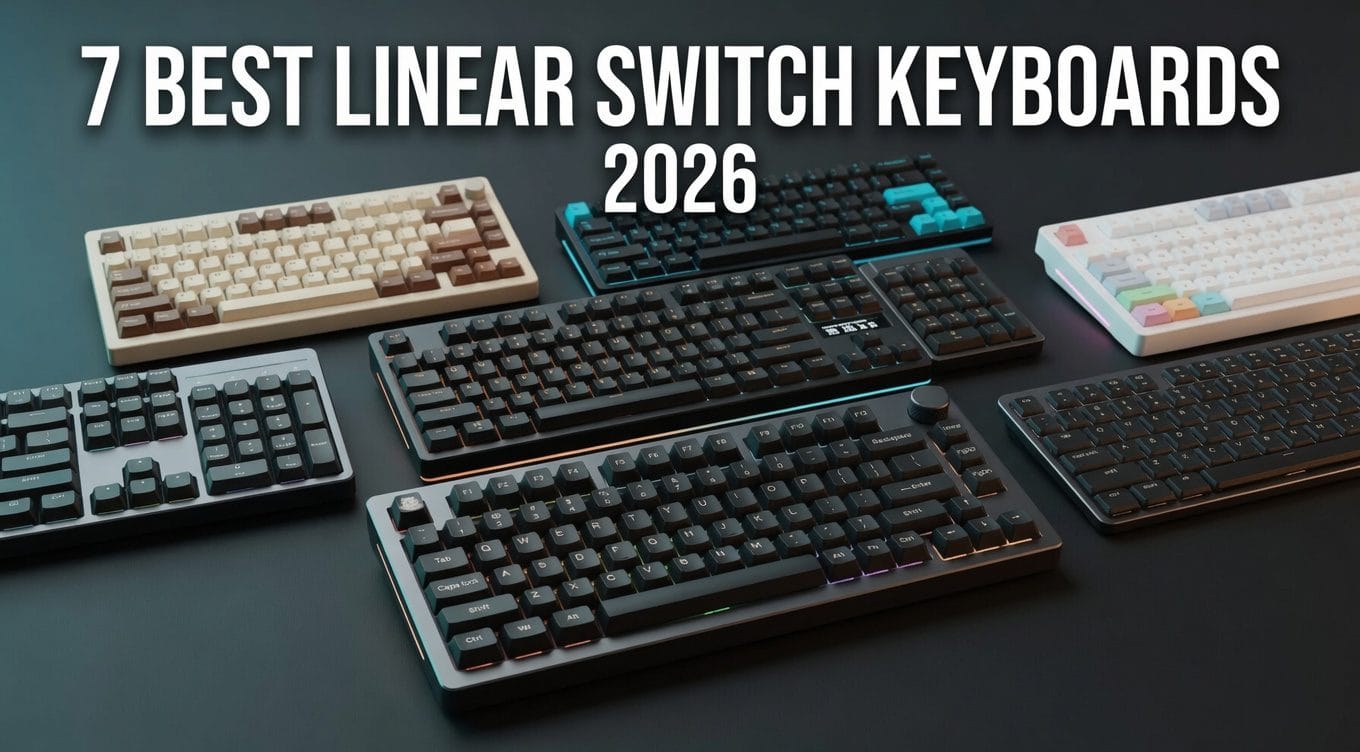
To save you from reading dozens of spec sheets and endless thread debates, we’ve rounded up the top 7 linear switch keyboards available right now. Whether you’re looking for an ultra-smooth stock typer, a competitive gaming board, or maximum value for your money, here are the picks actually worth buying.
Quick Verdict: The Best Linear Switch Keyboards at a Glance
- Best Overall — Keychron Q1 Max (Gateron Jupiter Red): the most consistently praised prebuilt linear board in our source set. TrustedReviews called it a “luxury typing experience,” and XDA singled out its spacebar stabilizer as better than the one on Keychron’s cheaper V1 Max.
- Best Budget — Aula F75 (Leobog Reaper): in one aggregated Reddit sample, 94 of 107 owner mentions were positive; Leobog’s spec sheet confirms a factory-lubed linear with a POM stem and 36g initial force.
- Best Budget Full-Size — Keychron C2 Pro (K Pro Red): Tom’s Hardware’s tested budget pick with double-shot PBT keycaps — rare in its class.
- Best Low-Profile — NuPhy Air75 V3 (Red Nano): Notebookcheck highlights its long-travel Gateron LP 3.0 switches (3.5mm) and new gasket mount; NuPhy claims up to 1,200 hours backlight-off.
- Best for Competitive Gaming — SteelSeries Apex Pro TKL Gen 3 (OmniPoint 3.0 magnetic): 40 actuation steps from 0.1–4.0mm per the spec sheet, with Rapid Trigger and SOCD.
- Best Mid-Budget Value — Akko 5075B Plus (V3 Cream Yellow Pro): Akko’s own spec table confirms a 50gf linear in a gasket-mounted board with a PC plate and double-shot PBT caps.
- Best Gaming/Enthusiast Crossover — ASUS ROG Azoth (NX Snow): Tom’s Hardware rated it 4.5/5, calling it near-perfect hardware held back by software.
Comparison Table: All 7 Linear Keyboards Side by Side
| Keyboard | Best For | Stock Switch (type) | Mount | Hot-Swap | Connectivity (polling) | Named Score |
| Keychron Q1 Max | Best overall | Gateron Jupiter Red (linear) | Double-gasket | Yes, 3/5-pin | Wired + 2.4G (1000Hz), BT (90Hz) | — |
| Aula F75 | Best budget | Leobog Reaper (linear) | Gasket + leaf-spring | Yes, full 5-pin | Wired + 2.4G (1000Hz), BT | — |
| Keychron C2 Pro | Best budget full-size | Keychron K Pro Red (linear) | — | Yes, 3/5-pin (hot-swap SKU) | Wired only (1000Hz) | — |
| NuPhy Air75 V3 | Best low-profile | Red Nano, Gateron LP 3.0 (linear) | Gasket | Yes (LP 3.0 hot-swap) | Wired + 2.4G (1000Hz), BT | — |
| SteelSeries Apex Pro TKL Gen 3 | Competitive gaming | OmniPoint 3.0 (magnetic linear) | — | Yes (OmniPoint sockets) | Wired, USB-C detachable | — |
| Akko 5075B Plus | Mid-budget value | V3 Cream Yellow Pro (linear) | Gasket | Yes, 5-pin | Wired + 2.4G + BT (tri-mode) | — |
| ASUS ROG Azoth | Gaming/enthusiast crossover | ROG NX Snow (linear) | Silicone gasket | Yes, 3-pin | Wired + 2.4G + BT (tri-mode) | Tom’s Hardware 4.5/5 |
What Makes a Linear Switch Keyboard “Good”?
A linear switch travels straight down with no bump and no click — force builds smoothly from keypress to bottom-out. Everything separating a great linear board from a mediocre one lives in the details around the switch: lube, stabilizers, mounting, and honest spec sheets.
Linear vs tactile in ten seconds
Linear: smooth travel top to bottom, nothing to feel at the actuation point. Tactile: a deliberate bump that tells your finger the keystroke registered. A linear board rewards smooth, even keystrokes and rapid repeats; a tactile board gives your fingers a landmark, which some typists find reduces bottoming out. Gamers often prefer linears for fast, uninterrupted double-taps; typists split roughly down the middle. Neither is “better” — they’re different sensations. If you prefer a noticeable tactile bump when typing, this list might not be for you, as everything featured below is strictly in smooth, linear territory.
Mechanical linears vs magnetic (Hall-effect) linears
Here’s a fact most roundups skip: every magnetic keyboard is a linear keyboard. Hall-effect switches sense a magnet’s distance from a sensor — no physical leaf mechanism, no bump, so a tactile magnetic switch is physically impossible.
What magnetic linears add is adjustability. The SteelSeries Apex Pro TKL Gen 3’s OmniPoint 3.0 switches offer 40 actuation steps between 0.1mm and 4.0mm, per the spec sheet, plus Rapid Trigger — resetting the key the instant it moves upward; mechanical linears actuate at one fixed point.
“Silent” doesn’t mean tactile: silent linears explained
Shoppers regularly conflate “silent” with “tactile.” A silent linear is still a linear — it adds dampening material to the stem so bottom-out and upstroke are muffled, not so you feel a bump.
The cleanest example on this list: NuPhy’s Air75 V3 ships in a Blush Nano variant, a silent linear with added dampening that Forbes described as “completely silent” for office use. The trade-off on dampened stems is a slightly softer, less crisp landing. Muffled, not mushy — usually.
Keychron Q1 Max — Best Overall
Acoustic Profile & Typing Feel
AppleInsider’s Jupiter Red unit produced what its reviewer called a “quiet yet distinct clack” — muted enough for shared spaces, defined enough to satisfy. That tuning comes from a foam-heavy internal stack Keychron makes removable — adjustable if you find it over-dampened.
Which variant to order
Order the fully assembled knob version with Gateron Jupiter Red — Red is the linear. Jupiter Brown and Jupiter Banana are both tactile; the Banana is exactly what XDA’s review unit shipped with, which shows how easily this trap springs.
Keychron also sells a Q1 HE (Hall-effect, magnetic) and a Q1 Ultra 8K — different boards; if a listing doesn’t say “Q1 Max,” nothing on this page applies.
Pros:
- The most consistent cross-source praise in our log: build, double-gasket acoustics, QMK/VIA
- Screw-in stabilizers, with the spacebar specifically rated above the V1 Max’s by XDA
- 1000Hz polling on 2.4GHz, not just wired
Cons:
- $209–230 assembled, and heavy/tall enough that a palm rest is advisable
- Bluetooth device-switching friction — no dedicated pairing button, per TrustedReviews
- KSA PBT caps aren’t shine-through; RGB is deck-glow only
- One on-record owner report of dead keys (L/O/P) and a rough RMA on Keychron’s own product page — isolated, but logged
Best for: the buyer who wants a prebuilt that types like a hand-built custom, remaps everything via QMK/VIA on Mac or Windows, and doesn’t care about per-key RGB legends.
The verdict: Across every independent review in our log — AppleInsider, TrustedReviews, XDA — the Q1 Max drew the most consistent praise of any board here, capped by TrustedReviews’ luxury-grade typing verdict.
Aula F75 (Leobog Reaper) — Best Budget
Acoustic Profile & Typing Feel
RTINGS’ public summary describes the gasket mount’s typing feel as “soft, slightly springy.” Damian Cooper’s review — of the sibling F75 Max, worth flagging — lands on creamy-with-a-hint-of-thock for the Reaper, measuring roughly 4ms wired / 8ms wireless single-key latency.
The sampled community agrees at scale: 94 of 107 owner mentions in redditrecs’ aggregation came back positive, negatives clustering on layout quirks and software — not sound.
Which variant to order
This article covers the Leobog Reaper SKU only. The same board ships with Ice Vein, Graywood V3, Star Vector, TTC Crescent, and Dream Sakura options — none of which were spec-verified in our research pass.
Mind the family, too: the F75 Pro and F75 Max are different keyboards. The Pro’s PBT side-print keycaps do not apply to the base F75. And the software is Windows-only — Mac users cannot remap keys at all, per the Amazon FAQ, which is the most repeated complaint in owner threads.
Pros:
- The strongest sound-per-dollar reputation in the communities we sampled — 94 of 107 mentions positive
- Five-layer dampening plus full hot-swap at $60–80 street
- Tri-mode wireless and a 4,000mAh battery in a budget board
- Factory-lubed stabilizers, per Epomaker
Cons:
- Windows-only software; no remapping on Mac
- Keycap material unclear — reported ABS, not PBT, and unverified on the base board
- Quoted spec table lists a 5M-keystroke rating — low on paper, unconfirmed against Leobog’s page
- SKU sprawl across the F75 family makes wrong orders easy
Best for: a Windows user’s first “creamy” board — budget gaming or typing now, hot-swap tinkering later.
The verdict: Ninety-four of 107 sampled owner mentions ran positive, and nothing else on this list pairs five dampening layers with a factory-lubed 36g linear for $60–80.
Keychron C2 Pro — Best Budget Full-Size
Acoustic Profile & Typing Feel
On record: Keychron pitches the K Pro Red as a pre-lubed linear with less stem wobble than a standard mechanical switch — a manufacturer claim, carried as one. And Tom’s Hardware tested it into its budget-pick slot for productivity work — an endorsement of how it types, not just what it costs.
Which variant to order
Get the RGB hot-swap SKU with K Pro Red (Amazon ASIN B09MN9P3NF). The sub-SKUs genuinely differ — white-backlight, RGB, and hot-swap versions sell at different prices, and Tom’s under-$55 figure refers to the white-backlight base. K Pro Brown is the tactile; skip it here.
The landmine is the C2 Pro 8K — a different keyboard wearing the same name. It runs Keychron Super switches (not K Pro), polls at 8000Hz, and uses a tray mount with a metal plate for a firmer, poppier character, per SemiPro Tech+Gear. Around $65, one retro colorway, no knob — none of its specs transfer to the base board. Keychron also lists two silent chip revisions (STM32L432KB / STM32F402RC) it calls functionally identical.
Pros:
- Double-shot PBT keycaps at a price where ABS is the norm
- Full QMK/VIA remapping via Launcher
- Full-size layout with numpad — the only one on this list
- Often under $55 in its base configuration, per Tom’s Hardware
Cons:
- Wired only — no wireless SKU exists
- Tall, chunky case; another palm-rest candidate
- Sub-SKU and 8K-sibling confusion makes careless ordering risky
- Essentially one colorway look
Best for: office and productivity work where the numpad earns its desk space, on Windows or Mac.
The verdict: Tom’s Hardware made it the tested budget productivity pick, and double-shot PBT plus QMK/VIA at an often-under-$55 street price is a pairing nothing else in this class matches.
NuPhy Air75 V3 — Best Low-Profile
Acoustic Profile & Typing Feel
Tom’s Guide put the V2 and V3 side by side in hands-on testing and judged the V3 a comprehensive update on the strength of its new switches — with two caveats: fewer switch choices than the V2, and a return to proprietary firmware.
The plain version: the V2 ran QMK/VIA; the V3 runs NuPhyIO 2.0, which Notebookcheck notes is less powerful. Browser-based convenience, real capability downgrade.
The switch story is why the board is here: 3.5mm of travel separates it from the flat, shallow feel that pushes people off low-profiles, riding on a gasket mount where the V2 used a tray.
Which variant to order
Red Nano is the linear and the pick. Brown Nano is tactile. Blush Nano is the interesting one — a silent linear with added stem dampening, described by Forbes as effectively silent for office use — this list’s proof that “silent” never means “tactile.”
The V2 still sells for roughly $25 less, with QMK/VIA and more switch options but a tray mount and far shorter battery claims. It’s the legitimate budget alternative; just don’t mix the spec sheets — every number here is V3-only. Per Tom’s Guide, Amazon stock ran thin around launch.
Pros:
- 3.5mm travel in a 13.2mm-tall board — the category’s standout ratio, per NuPhy’s spec sheet
- Gasket mount, new to the V3
- NuPhy claims up to 1,200 hours per charge with the backlight off
- Mac-first polish with tri-mode wireless and five-device pairing
Cons:
- NuPhyIO 2.0 is less capable than the V2’s QMK/VIA, per Notebookcheck
- Fewer switch options than the V2
- $139.95 MSRP, seen at $159 on Amazon — a real premium over the V2
- Launch-era stock volatility
Best for: the laptop-style typist or Mac user who wants low-profile portability without giving up switch travel — and, via Blush Nano, the open-office worker who needs near-silence.
The verdict: Per NuPhy’s spec sheet the V3 packs 3.5mm of switch travel into a 13.2mm-tall board, and Tom’s Guide’s hands-on V2 comparison judged the update comprehensive — proprietary firmware is the one genuine step backward.
SteelSeries Apex Pro TKL Gen 3 — Best for Competitive Gaming
Acoustic Profile & Typing Feel
TweakTown’s dB-tested review — of the full-size Gen 3, a variant caveat — heard a thock-leaning signature with prominent, dated-sounding debounce and flagged spacebar stabilizer wobble. ProSettings found the switches smooth across the full range, mid-weight and slightly bouncy, with some stem wobble.
For raw play, ProSettings judged gaming performance indistinguishable from the class’s top rivals. Techaeris went further: a strong typing board even for non-gamers, with the heavy GG software suite as its main gripe.
The marketing numbers stay quarantined: SteelSeries claims a 0.54ms response, roughly 11x faster than a standard mechanical by its own math — manufacturer claims carried in TechPowerUp’s launch piece, and carried the same way here.
Which variant to order
Buy the wired TKL — it’s the clean SKU. The TKL Wireless is a separate, higher-priced model with Quantum 2.0 Dual (2.4GHz + Bluetooth). The full-size ($199.99 MSRP) hides a real catch: per ProSettings, its F-row and numpad don’t use OmniPoint switches at all — adjustable actuation on only 80% of the keys. The TKL keeps it everywhere.
Community context: in redditrecs’ aggregation this was the most contested board here at 9 positive / 1 neutral / 5 negative, the dominant hesitation being whether a Wooting justifies its extra loyalty. The counter-theme in the same sample: SteelSeries as the safer, more proven retail pick.
Pros:
- 40-step adjustable actuation, Rapid Trigger, and SOCD via Rapid Tap
- Hot-swappable OmniPoint sockets — new to Gen 3
- Doubleshot PBT caps and an OLED at $189.99 MSRP
- First-party Amazon availability — rare in the Hall-effect field
Cons:
- GG software bloat, per Techaeris and TechPowerUp reader consensus
- Some stem wobble (ProSettings); spacebar stabilizer wobble on TweakTown’s full-size unit
- Rapid Trigger lacks separate up/down sensitivity tuning that rivals offer, per ProSettings
- Enthusiasts in our sample lean Wooting on rapid-trigger implementation
Best for: the ranked FPS player who wants 0.1mm hair-trigger actuation and SOCD with a store-shelf warranty path instead of an import gamble.
The verdict: With 40 actuation steps from 0.1 to 4.0mm on the spec sheet and gaming performance ProSettings found indistinguishable from the best in class, this is the magnetic-linear pick if you buy retail.
Akko 5075B Plus — Best Mid-Budget Value
Acoustic Profile & Typing Feel
Nextrift reviewed the correct unit — the Cream Yellow Pro linear — and heard a smooth switch with faint scratch audible only with an ear against the board, inaudible in normal typing. The gasket-plus-PC-plate combination gave a soft landing that’s neither thocky nor clacky.
The flaw is just as well documented. Nextrift called the loose factory clip-in stabilizers the board’s biggest problem — and 2 of 8 verified-buyer reviews on Akko’s own Black&Silver page independently name right-side spacebar rattle — a three-source pattern, not an anecdote. Moddable, but a real stock-condition ding.
Wireless held up on the 2.4GHz dongle, and Nextrift’s verdict landed on strong value overall.
Which variant to order
V3 Cream Yellow Pro is the linear and the pick. V3 Silver Pro is the other linear — a lighter, shorter-travel speed switch (40±5gf, 1.0±0.5mm pre-travel) aimed at gaming. The trap is the V3 Cream Blue Pro: it’s tactile, per Akko’s own table (0.5mm bump position, 55±10gf tactile force), despite decades of “blue” convention. geekyminded’s review ran that tactile unit, so its feel claims don’t apply to this pick.
Pros:
- Verified 50gf linear straight from the manufacturer’s spec table — no guesswork
- Gasket mount, PC plate, and a full foam stack at ~$86
- ASA double-shot PBT and 5-pin hot-swap
- Cross-platform software: Mac, Windows, and web
Cons:
- Three-source stabilizer-rattle pattern on stock clip-ins
- 3,000mAh battery — smallest here
- Board-revision ambiguity on the live Amazon SKU
- One verified-buyer report of a left-half key failure after months — isolated, QC-variance context
Best for: the mid-budget buyer who wants near-custom internals and PBT caps without crossing $100 — and doesn’t mind lubing stabilizers someday.
The verdict: Akko’s own table verifies a 50gf linear inside an $85.99 gasket-mounted board with a PC plate and double-shot PBT — value Nextrift’s review endorses, loose stock stabilizers and all.
ASUS ROG Azoth — Best Gaming/Enthusiast Crossover
Acoustic Profile & Typing Feel
XDA’s unit ran NX Red linears — the family’s other linear — and found factory lube present but inconsistent, with some scratch and spring ping on a fresh board. The bundled lube kit is the built-in fix — the remedy packed next to the flaw.
Two brighter notes from the same review: the factory-tuned stabilizers were good enough to leave untouched — a standout at any price — and the steel plate plus heavy foam produced a deep, foam-forward signature that stops just short of true thock.
Tom’s Hardware’s larger judgment: enthusiast-level typing in a wireless gaming package, with Armoury Crate as the universal complaint — echoed by PCWorld in TechSpot’s aggregation.
Which variant to order
NX Snow is the linear SKU this pick refers to; NX Red is the family’s other linear (40g initial / 55g bottom-out, per XDA). NX Storm is clicky — skip it here. the Azoth Extreme’s NX Snow numbers belong to a different spec sheet and don’t transfer.
The successor family is crowded: the Azoth X ($300) moves to NX Snow V2, an FR4 plate, and web software, swapping the lube kit for a wrist rest — PC Gamer read it as closer to a colorway refresh than a new board. The Extreme sits higher; an Extreme Edition 20 arrived in 2026. The base board remains current.
Pros:
- Tom’s Hardware 4.5/5 — the highest named third-party score on this list
- Gasket mount and three-layer foam in a mainstream gaming board
- Factory-tuned stabilizers XDA found ready out of the box
- Complete Krytox lube/mod kit included; deep verified discounts recur
Cons:
- Armoury Crate — the universally cited weakness across our sources
- Inconsistent factory lube on NX switches, per XDA; expect to use that kit
- No shine-through keycaps
- Successor-family confusion (X, Extreme, Edition 20) muddies shopping
Best for: the gamer-enthusiast crossover buyer who wants tri-mode, an OLED, and a board they’ll eventually mod — with the toolkit already in the box.
The verdict: Tom’s Hardware rated it 4.5/5 — near-perfect hardware held back by software — and at its verified $155 Amazon deal price it undercut boards carrying half its feature list.
How to Choose a Linear Switch Keyboard
Factory lube consistency. Pre-lubed is a claim, not a guarantee. XDA found the Azoth’s NX switches lubed unevenly with audible spring ping, while AppleInsider’s Jupiter Red unit needed nothing. Hot-swap sockets and a lube kit are the insurance.
Stabilizers. Big keys betray cheap boards first. Screw-in stabilizers (Q1 Max) hold tune; loose clip-ins produced the Akko’s three-source rattle pattern.
Mount and plate acoustics. Gasket plus polycarbonate plate reads soft and deep (Akko, Aula); tray plus metal plate reads firm and poppy — the C2 Pro 8K sibling is the textbook case. Neither is wrong; know which you’re ordering.
Hot-swap as insurance. 5-pin sockets accept anything MX-style; 3-pin sockets may need switch legs clipped. If the stock switch disappoints, a $20 swap beats a $150 regret.
Per-mode polling claims. Never trust one blanket number. The Q1 Max runs 1000Hz on cable and 2.4GHz but 90Hz over Bluetooth — a 10x gap inside a single spec sheet.
The Switch Variant Decoder
| Board | Switch option | Official type | Force (gf) | Travel (mm) | Source |
| Keychron Q1 Max | Gateron Jupiter Red | Linear | — | — | Keychron spec page |
| Keychron Q1 Max | Gateron Jupiter Brown | Tactile | — | — | Keychron spec page |
| Keychron Q1 Max | Gateron Jupiter Banana | Tactile | — | — | Keychron spec page |
| Aula F75 | Leobog Reaper | Linear | 36 initial / 55 bottom-out | 1.8±0.3 pre / 3.6±0.3 total | Leobog spec (travel per quoted review table) |
| Keychron C2 Pro | K Pro Red | Linear | — | — | Keychron / Amazon listing |
| Keychron C2 Pro | K Pro Brown | Tactile | — | — | Keychron / Amazon listing |
| NuPhy Air75 V3 | Red Nano (Gateron LP 3.0) | Linear | — | 3.5 total | NuPhy spec / Notebookcheck |
| NuPhy Air75 V3 | Brown Nano | Tactile | — | 3.5 total | NuPhy spec / press review of the trio |
| NuPhy Air75 V3 | Blush Nano | Silent linear | — | 3.5 total | Press review of the trio / Forbes |
| Apex Pro TKL Gen 3 | OmniPoint 3.0 | Magnetic linear | 45 bottom-out | adjustable 0.1–4.0 actuation | SteelSeries / TechPowerUp |
| Akko 5075B Plus | V3 Cream Yellow Pro | Linear | 50±10 | 2.0±0.6 pre / 3.3 total | Akko spec table |
| Akko 5075B Plus | V3 Silver Pro | Linear (speed) | 40±5 | 1.0±0.5 pre / 3.3 total | Akko spec table |
| Akko 5075B Plus | V3 Cream Blue Pro | Tactile | 45±10 op / 55±10 tactile | 0.5 bump position | Akko spec table |
| ASUS ROG Azoth | ROG NX Snow | Linear | — | — | ASUS product copy |
| ASUS ROG Azoth | ROG NX Red | Linear | 40 initial / 55 total | — | XDA review |
| ASUS ROG Azoth | ROG NX Storm | Clicky | — | — | ASUS product copy |
Note: the Aula F75 also ships with Ice Vein, Graywood V3, Star Vector, TTC Crescent, and Dream Sakura options — none spec-verified this pass; this article covers the Reaper only.
FAQ
Which Aula F75 switch should I get — Reaper, Graywood V3, or Ice Vein? This guide covers the Leobog Reaper, and it’s the community’s default pick for a reason: Leobog’s spec sheet confirms a factory-lubed, POM-stem linear gliding from 36g to a 55g bottom-out. Epomaker lists Ice Vein, TTC Crescent, Graywood V3, and Dream Sakura on the same board, but none were spec-verified in our research — for the sound the F75 is famous for, order the Reaper.
Is the SteelSeries Apex Pro TKL Gen 3 better than a Wooting 80HE? It’s the most repeated hesitation in the owner threads we sampled. Enthusiasts in that sample consistently credit Wooting with the stronger rapid-trigger implementation and cleaner software. SteelSeries answers with first-party Amazon availability, QuickSet onboarding, and Protection Mode — the “safer pick” framing in the same sample — while Wooting’s US retail presence leans third-party and import-grade.
Are the Keychron Q1 Max’s Jupiter Red switches good for gaming too? Yes — on the cable or the 2.4GHz dongle, where Keychron’s spec sheet lists 1000Hz polling. Bluetooth drops to 90Hz, so treat BT as a productivity mode, not a gaming one.
What’s the difference between a silent linear and a regular linear switch? A silent linear adds dampening material to the stem so bottom-out and upstroke are muffled — it’s still a linear, with no bump. The NuPhy Blush Nano is this list’s example: a silent linear Forbes judged fit for near-silent office use. The trade-off is a slightly softer, less crisp landing than a bare linear.
Are red switches always linear? Almost always by convention — but the spec sheet is the only truth. Akko’s V3 Cream Blue Pro is a tactile switch per Akko’s own table, despite decades of “blue” color coding. Check the Variant Decoder before ordering.
Are linear switches good for typing, or only gaming? Both, if you don’t need feedback at the actuation point. Tom’s Hardware picked the linear C2 Pro as a tested productivity board, and TrustedReviews’ highest praise for the Q1 Max was about typing feel first. The trade-off: no tactile cue confirming each keystroke.
How We Researched This
This guide was compiled using a synthesis-based research methodology. Technical specifications come from official manufacturer spec sheets. Acoustic and typing-feel observations are drawn from published independent reviews (cited by name where they exist) and from the wider mechanical-keyboard enthusiast community.
No hands-on units were physically tested for this guide. Instead, we cross-referenced technical data and reviewer findings across multiple independent sources to compile an objective, comparative analysis. Where a claim reflects a manufacturer’s own rating rather than an independent measurement, we say so. For more details on our standards, please visit our dedicated Methodology page.
Two Boards Settle This
If budget isn’t the constraint, buy the Keychron Q1 Max in Gateron Jupiter Red. No other board in our source log matched its cross-review consistency, and the spec sheet backs the reputation: 1000Hz wireless, screw-in stabilizers, and a 180-hour battery in a full-aluminum, double-gasket case.
If budget is the constraint, the Aula F75 needs no apology — 94 of 107 sampled owner mentions positive at $60–80 is a signal, not noise. Everything else on this list wins a specific fight: full-size (C2 Pro), low-profile (Air75 V3), adjustable actuation (Apex Pro TKL Gen 3), spec density (5075B Plus), or moddable crossover (Azoth).
Pick your fight, check the Variant Decoder so the switch you get is actually a linear, and check the live price — these bands move.