Linear vs Tactile Switches: Which Keyboard Switch is Best for You
The debate over linear vs tactile switches has plagued the mechanical keyboard community for decades. Most mainstream buying guides distill this complex biomechanical choice down to a grossly oversimplified binary: “Reds are for gaming, Browns are for typing.” Marketing lies.
The reality of mechanical switch performance is rooted in material science, contact physics, and digital signal processing. Choosing the correct mechanical keyboard switch dictates not just acoustic satisfaction, but precise input latency and musculoskeletal health over millions of keystrokes. This breakdown systematically dissects the engineering differences between these switch variants, shattering the myths perpetuated by generic peripheral manufacturers.
Quick answer
Linear switches press straight down with no bump, making them fast and consistent — ideal for gaming. Tactile switches have a physical bump that confirms each keypress, reducing typos and improving accuracy for typing-heavy work. Both types can be light or heavy depending on the spring weight, not the switch type itself. Neither is objectively better; the right choice depends entirely on your primary use case and how your hands interact with the keyboard over long sessions.
The Core Choice: Picking a switch isn’t just about what feels nice; it’s about how your fingers move and how fast the computer reads the input (a biomechanical and signal-processing decision).
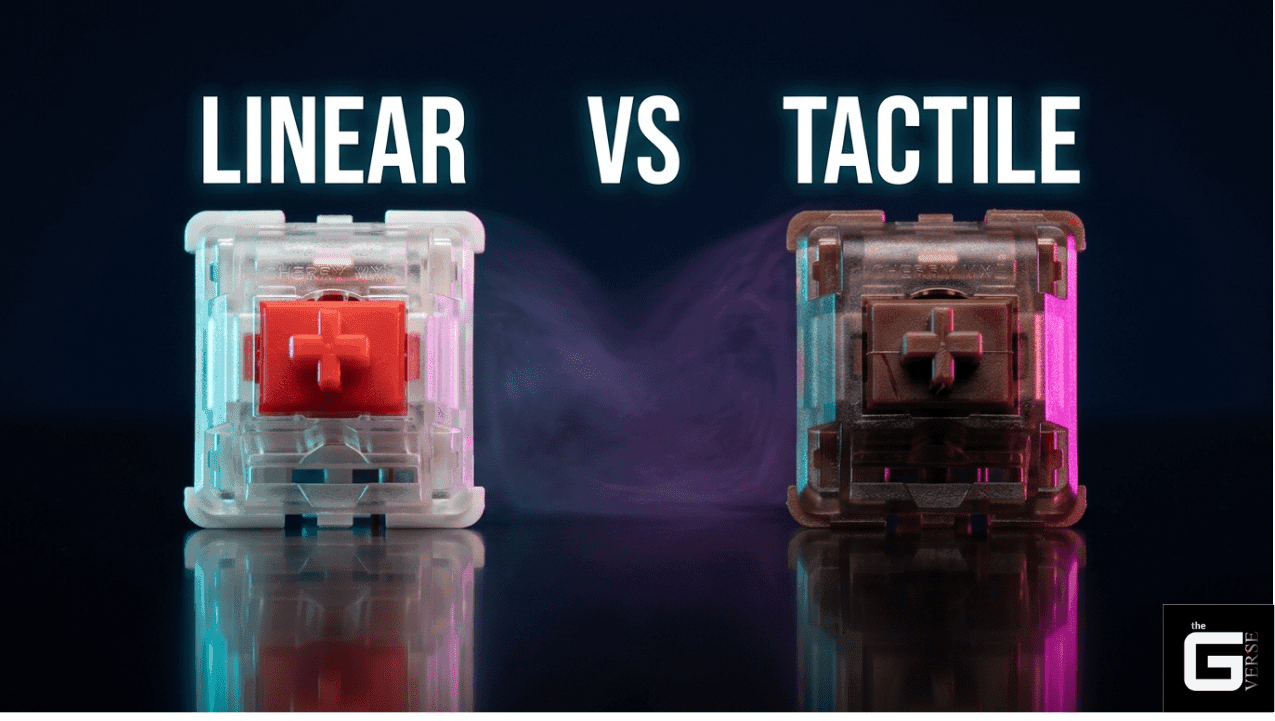
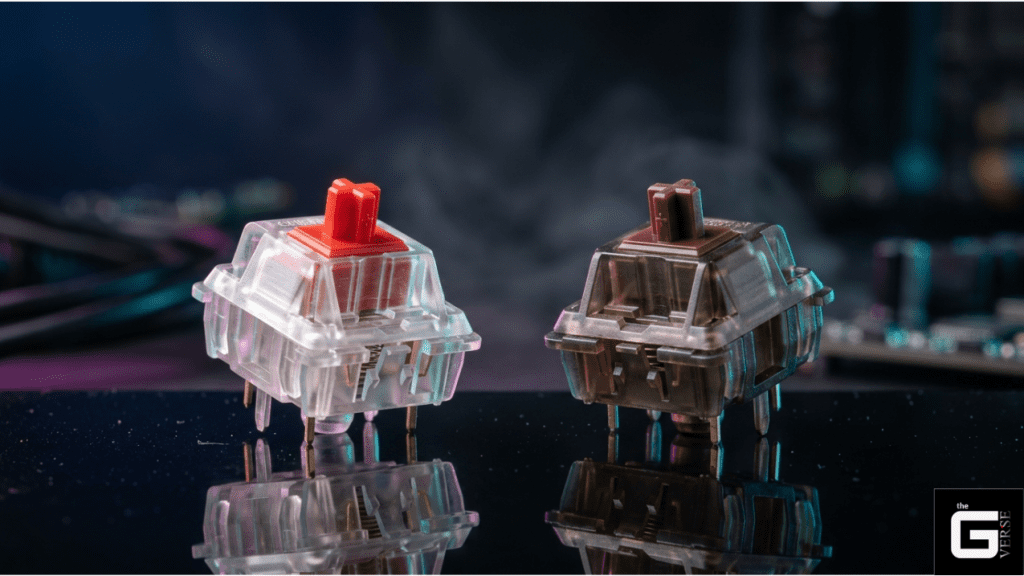
Linear Switches: These keys press straight down smoothly with no bumps (uninterrupted keystroke travel). They register and reset at the exact same point (1:1 actuation-to-reset ratio), which eliminates delay for competitive gaming (optimizing input latency).
Tactile Switches: These keys have a small bump you can feel when the press registers (physical actuation confirmation). This bump is created by the physical shape of the plastic inside (stem geometry) and causes the key to press and reset differently (mechanical hysteresis). This prevents typos but requires slightly more finger effort (increases total mechanical work per keystroke).
Ergonomics & Health: Pressing keys with the right amount of pressure so you don’t slam them hard into the base (optimizing bottom-out force) is proven by hardware standards [ISO 9241-410: Ergonomic Design for Input Devices] to prevent long-term wrist and finger pain (mitigating Repetitive Strain Injury, or RSI).
Why Switch Type Matters
A keyboard is not merely an input peripheral; it is a high-frequency biomechanical interface. When designing a custom keyboard build or selecting high-end gaming keyboards, the choice of switch directly alters the kinetic chain of the human hand.
When a keystroke occurs, the finger must overcome the initial spring resistance, push through the frictional coefficient of the switch materials, and absorb the shock of the bottom-out collision. Selecting a mechanical linear switch over a heavy tactile variant completely redefines the dynamic loading placed upon the intrinsic muscles of the hand, directly dictating long-term typing comfort. In noise-sensitive environments or intense esports arenas, switch selection determines fatigue rates, typing accuracy, and the acoustic footprint of the workspace.
Epidemiological studies regarding industrial workplace ergonomics have long identified fingertip force as a primary risk factor for chronic upper extremity musculoskeletal disorders. The force-displacement characteristics, which enthusiasts colloquially call the “feel,” directly dictate how much energy the typist expends. Ignoring these metrics leads to severe repetitive strain injuries (RSI). The amplitude of muscle activity in the first dorsal interossei, alongside the flexor digitorum profundus, changes radically depending on the force curve of the switch being actuated.
The peripheral industry often ignores the long-term health implications of bottom-out forces exceeding 70g. Switch selection is fundamentally a matter of occupational health and mechanical efficiency.
The Science / Research Insight: Ergonomic studies evaluating computer keyboard keyswitch design demonstrate that typing on switches with a make force of 1.02 N compared to 0.47 N increases applied fingertip force by approximately 40% and finger flexor muscle activity (EMG) by 20%. To minimize biomechanical loads on forearm tendons, switches with an actuation force of 0.47 N or less are scientifically recommended for prolonged data entry. Reference: [1], [2]
What Is the Difference Between Linear and Tactile Switches?
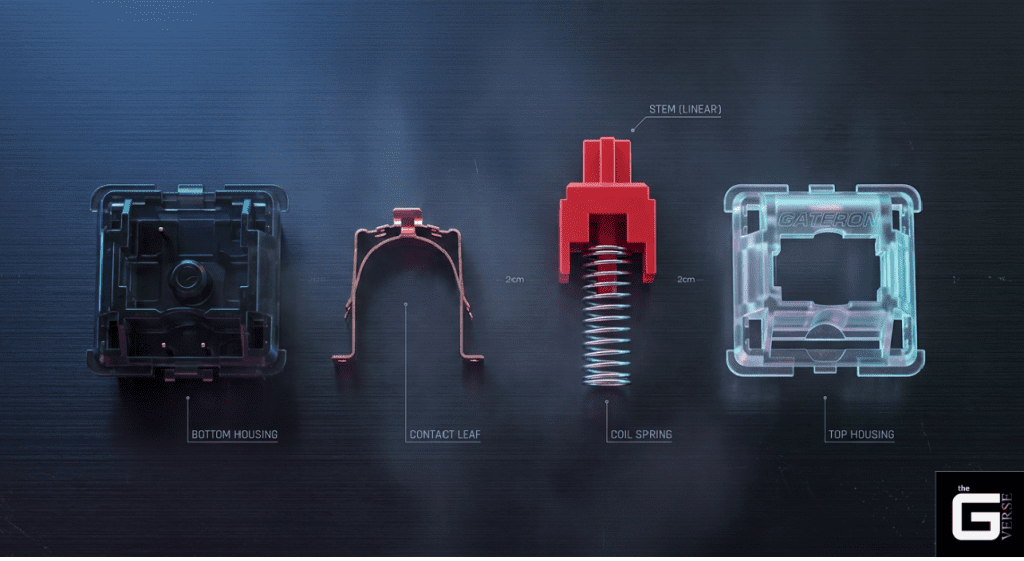
To comprehend the difference between linear and tactile switches, the analysis must look past the plastic housing and analyze the internal physics of the keystroke. Mechanical keyboard switches consist of four primary components: the bottom housing, the top housing, the metal contact leaf, and the stem resting on a coil spring. The physical variance in the stem’s geometry dictates the entire classification.
The most accurate way to measure this difference is through a force-displacement curve. This graph plots the travel distance of the stem in millimeters (x-axis) against the force required in grams or centiNewtons (y-axis). The area under this curve mathematically represents the total mechanical work required to actuate the key.
W = ∫₀ᵈ F(x) dx
Where W is the total work done, F(x) is the force at a given displacement, and d is the total travel distance. In a linear vs mechanical switches comparison, the difference in this integral determines how exhausting the keyboard will be over an eight-hour session. A switch featuring a sharp feedback bump requires a significant spike in applied force, drastically increasing the area under the curve and, consequently, the mechanical energy dissipated by the human finger.
| Specification | Linear Switches | Tactile Switches |
| Force Curve | Straight, monotonically increasing | Peaked, featuring a distinct hump |
| Stem Geometry | Flat, smooth slider rails | Protruding legs with geometric angles |
| Tactile Feedback | None (Zero interference) | Distinct haptic bump |
| Mechanical Hysteresis | Minimal (Dependent on leaf tension) | Significant (~0.5mm fixed hysteresis) |
| Primary Advantage | Absolute consistency and rapid reset | Error prevention and physical confirmation |
1. What Are Linear Switches?
What are linear switches? They are the purest expression of mechanical input. A linear switch features a stem with completely flat vertical slider rails. As the stem travels downward, it pushes against the angled contacts of the metal leaf spring, but because the stem rails are straight, there is no sudden variation in resistance. The only force acting against the finger is the linear compression of the coil spring.
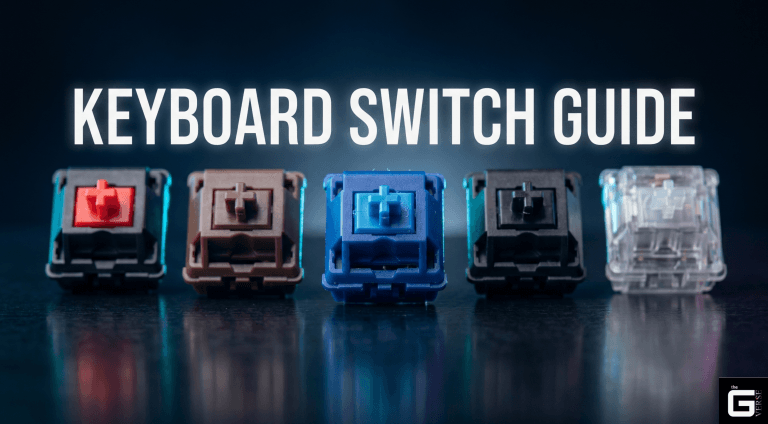
When exploring specific switch models, enthusiasts often turn to Gateron Switches for their factory smoothness. Standard Gateron Reds are a baseline, but the Gateron Oil King Switch and Gateron Milky Yellow (or standard Gateron Yellow) offer deeply contrasting friction profiles. For instance, the Gateron Oil King utilizes a proprietary Ink bottom housing and an extended 20mm spring, providing a tighter, deeper acoustic profile compared to the lighter, full-nylon Milky Yellow. Other premium enthusiast linears like the Moon V2, Everglide Aqua King, Kailh Red, and the WS Red Switch or WS Yellow switch from Wuque Studios further demonstrate how housing materials alter the friction coefficient.
Because there is no mechanical bump to overcome, linear switches allow for rapid, stutter-free repeated presses. This consistency makes them highly predictable, though it requires the user to develop an innate muscle memory for the exact actuation point, as the switch provides zero physical feedback when the electrical circuit is closed.
2. What Are Tactile Switches?
To properly define tactilely in the context of keyboards, one must examine the point of interference. What are tactile switches? They are mechanical switches designed specifically to provide a physical confirmation of actuation. Instead of flat rails, the stem features protruding “legs” with a specific geometric hump. Modern Kailh switches like the Kailh Brown, Kailh Box Brown, or Kailh Box V2 feature variations of this precise geometry.
What is a tactile keyboard experience? As the key is pressed, the metal leaf spring slides along the stem leg. When it encounters the hump, the required force spikes. Once the leaf clears the peak of the hump, the resistance drops sharply, causing the slider to accelerate downward. This sudden drop in resistance is the “tactile event”.
This interaction causes mechanical vibration, which the highly sensitive Pacinian corpuscles in the human fingertip register as a distinct “bump”. This feedback confirms the keystroke, inherently reducing accidental double-presses and increasing typing confidence.
The Science / Research Insight: The tactile event introduces a phenomenon known as mechanical hysteresis. Because the metal leaf must travel back over the physical hump on the return stroke, the switch’s reset point is physically separated from its actuation point. This hysteresis creates a measurable delay (often ~0.5mm of travel) where the key is deactivated but has not fully reset, directly impacting high-frequency repetitive keystrokes. Reference: [1], [2]
Linear vs Tactile Switches: Quick Comparison
Distilling the complex physics into actionable metrics reveals why the tactile switches vs linear debate is highly dependent on application. Below is a rapid comparative breakdown of standard switch characteristics, bypassing the subjective marketing terminology.
| Feature | Linear Profile (e.g., Cherry MX Red) | Tactile Profile (e.g., Cherry MX Brown) |
| Actuation Feeling | Uninterrupted glide | Sudden, sharp resistance drop |
| Acoustic Profile | Only bottom-out and top-out clack | Addition of leaf-spring friction noise |
| Reset Velocity | Extremely high (1:1 actuation/reset) | Slower (Delayed by stem leg geometry) |
| Typing Fatigue | Low (Depending on spring weight) | Moderate (Spike in force curve demands more work) |
| Bottom-Out Impact | High (Users often strike the base plate hard) | Mitigated (The bump absorbs some kinetic energy) |
| ISO 9241-410 Type | Ramp Action | Snap Action |
Common Misconceptions About Linear vs Tactile Switches
The peripheral industry is rife with misinformation. Navigating the difference between linear and tactile switches requires discarding the generalized advice found on massive retail sites and gaming forums. Decades of poor marketing have created an environment where users fundamentally misunderstand the hardware they are purchasing.
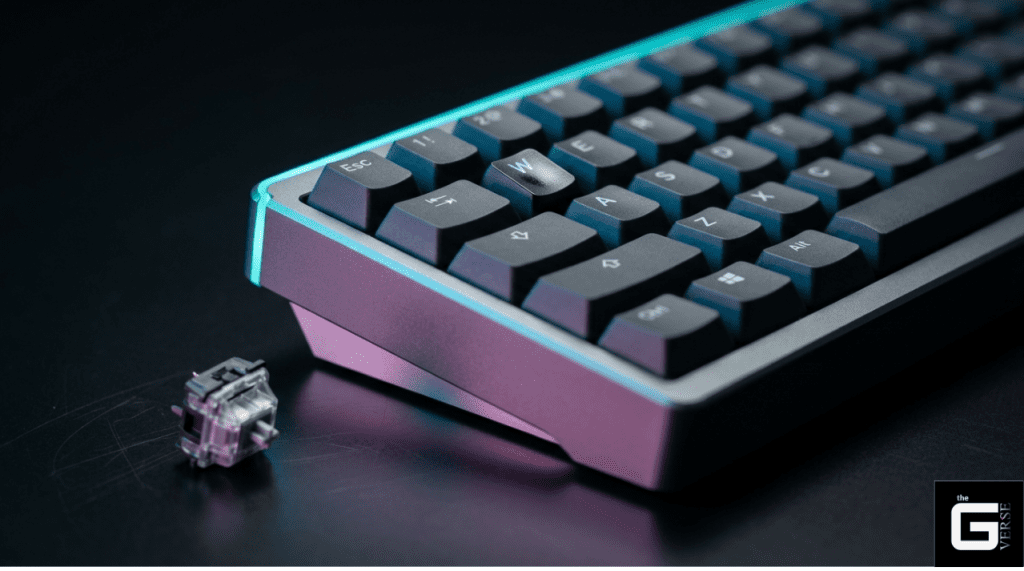
Myth: Linear switches are always best for gaming
The most pervasive myth in the industry is that linear switches inherently trigger faster than tactiles. This is factually incorrect. The electrical actuation point, the exact moment the metal leaves touch to complete the circuit, is entirely static. Standard Cherry MX Switches, like the Cherry MX Red and Cherry MX Brown, both actuate at precisely 2.0mm of key travel.
For ultra-fast gaming speed and gaming performance, specialized models like a Cherry MX Speed Silver, Kailh Speed Silver, or Cherry MX Low Profile Speed actuate at 1.2mm or less, cutting travel distance by 40%. However, the standard linear vs tactile speed debate is actually about reset speed, not initial actuation.
Tactile switches suffer from mechanical hysteresis, meaning the key must travel further upward to reset the circuit before it can be pressed again. For games requiring deliberate, single-action inputs, the physical confirmation of a tactile switch often prevents disastrous misclicks.
Myth: Tactile switches are too loud
Users frequently confuse tactile switches with “clicky” switches. Tactile switches provide a haptic bump without any dedicated secondary noise-making mechanism. Clicky switches (like the Cherry MX Blue, Cherry MX Green, Razer Green, Kailh Box Jade Thick Clicky, Kailh Box Navy Thick Clicky, or the Kailh Box Summer Clicky Switch) utilize a “click-jacket” or “click-bar” specifically to generate high-frequency noise. For instance, newer dual-mechanism designs like the Raptor Clicky switches produce a thunderous snap on both the downstroke and upstroke.
When properly lubricated and installed in a dampened case utilizing sound treatment like case foam and dampening foam on a flexible plate mount, a tactile switch is completely appropriate for professional environments. The clicky vs linear vs tactile argument regarding noise is a false equivalence.
Myth: Linear and Tactile Switches Have Different Resistance
There is a widespread misunderstanding that “linear” means “light” and “tactile” means “heavy.” Linear simply refers to the shape of the force curve, not the magnitude of the force. The resistance of the switch is dictated entirely by the coil spring installed inside the housing, independent of the stem’s slider rails.
- A Cherry MX Black (Linear) requires 60 cN of force to actuate.
- A Cherry MX Brown (Tactile) requires 55 cN of force to actuate.
- A heavy tactile switch, such as the Gazzew Boba U4T or Boba U4T equivalents, requires upwards of 68g of bottom-out force.
Choosing a linear switch does not guarantee a feather-light typing experience.
Use Cases: Gaming vs Typing vs Productivity
Optimizing a workstation or gaming rig demands a granular understanding of how switch mechanics interact with human workflow.
Linear Switches: When Are They Best?
Linear switches dominate the competitive esports scene for one specific reason: friction elimination. In titles requiring rapid, stutter-step movements, the player must rapidly oscillate the switch across its actuation threshold. Because linear switches lack the geometric stem hump, the actuation and reset points are nearly identical, allowing for seamless “hovering” over the actuation point.
How to Prevent Accidental Key Presses on Linear Keys
The primary drawback of lightweight linears (such as 45g switches) is extreme sensitivity. Troubleshooting accidental keystrokes requires addressing the static weight. Standard 45g linear springs often have an initial force of just 25g at the top of the stroke, which is insufficient to counteract the leverage of resting fingers. Swapping to symmetric extended springs alters the pre-load tension, eliminating accidental actuations without making the switch feel sluggish.
The Paradigm Shift: Are HE Switches Linear?
The traditional mechanical switch is rapidly becoming obsolete in top-tier gaming peripherals due to Hall Effect (HE) technology. Pioneered by brands like Wooting keyboards, HE switches completely eliminate physical metal contacts.
HE switches utilize a magnet located inside the stem and a stationary Hall Effect sensor on the PCB to continuously track the precise analog depth of the keystroke via changes in magnetic flux. This introduces “Rapid Trigger” technology, allowing the switch to actuate and reset dynamically based on magnetic flux, bypassing physical debounce limitations.
Tactile Switches: When Are They Best?
Tactile switches excel in environments demanding absolute input verification. Programmers, data entry clerks, and writers typing upward of 100 WPM rely on the tactile bump to confirm registration without needing to bottom out the key.
Light Tactile Switch vs Heavy Tactile Switch
Actuation force and bottom-out force are not the same metric, and conflating the two leads to severe musculoskeletal fatigue.
| Switch Weight Category | Actuation Force | Bottom-Out Force | Biomechanical Impact |
| Light Tactile (e.g., Outemu Lemon) | 35g | 45g | Fast, effortless. Excellent for high WPM. Prone to accidental double-presses by heavy-handed typists due to weak leaf tension. |
| Medium Tactile (e.g., Cherry Brown) | 45g | 55g | The industry standard compromise. Moderate fatigue over 8-hour sessions. |
| Heavy Tactile (e.g., Panda Tactiles, WS Brown) | 62g – 68g | 68g+ | Massive tactile bump. Prevents bottom-out entirely for some users, but requires high intrinsic muscle activation, risking strain. |
Selecting ultra-heavy tactiles like the Zealios switches or WS Heavy Tactile switches provides a sharp, undeniable confirmation, but forces the finger flexors to work dramatically harder.
Managing Input Latency: QMK Debounce Optimization
The fundamental flaw of tactile switches is “chatter,” the rapid bouncing of metal leaves upon impact. To prevent multiple characters from registering on a single press, firmware introduces a debounce delay, typically 5ms.
Through QMK firmware, this can be aggressively optimized using asymmetric eager algorithms. Implementing DEBOUNCE_TYPE = asym_eager_defer_pk pushes the state change to the USB controller instantly on the leading edge of the voltage spike, bypassing the physical limitations of the switch.
Enthusiast Trends: Long Pole Switches and Acoustic Tuning
The modern custom keyboard scene is obsessed with acoustic tuning, specifically the pursuit of a deep, resonant sound profile known as “thock.” Standard mechanical switches have a total travel distance of 4.0mm. The current enthusiast meta, however, is entirely dominated by long pole switches.
In a long pole switch, the center pole of the stem is physically lengthened. This specific structural modification causes the thin center pole to strike the bottom housing before the slider rails can. This creates a sharper, concentrated point of impact, radically altering the acoustic profile to a louder, more percussive snap. Switches in the high-pitched, clacky category, like the HMX Cheese, demonstrate exactly how material density dictates sound.
While it produces an incredible sound, it creates a brutal ergonomic reality. Because the travel distance is artificially shortened to 3.5mm or even 3.1mm, typists exceeding 140 WPM experience severe “finger shock,” transferring kinetic energy directly into the distal interphalangeal joints.
Niche Showdown: Lemon Switches vs Penguin Switches
For shared office environments where noise must be eradicated, silent switches are mandatory. A direct comparison of the Outemu Lemon V3 and the Akko Penguin reveals massive architectural differences in silencing mechanisms, contrasting with mainstream options like the Cherry MX Silent Red.
| Metric | Outemu Silent Lemon V3 | Akko Silent Penguin |
| Actuation Force | 35g (Light) | 43g (Medium-Light) |
| Total Travel | 3.3mm (Shortened) | 3.3mm |
| Tactile Bump Location | 0.8mm (Early) | Rounded, Mid-stroke |
| Silencing Mechanism | Internal silicone dampeners | Rubberized stem pads |
In rigorous laboratory testing, the Outemu Lemon V3 provides an incredibly sharp, immediate tactile pop despite its remarkably low 35g actuation force. Conversely, the Akko Penguin utilizes a heavier 43g spring and features a much softer, rounded bump, but suffers from a “mushy” bottom-out. The harsh truth is that achieving absolute silence requires sacrificing the sharpest tactile feedback.
What to Consider When Choosing Between Linear and Tactile
With thousands of models available, the decision matrix for a linear vs tactile switch boils down to primary workflow friction. From ultra-light linears to hybrid niche variants marketed as Lynx Linear Tactile Switches, the market provides a vast array of options for tuning.
Best Ways to Try Both Switch Types
Before committing hundreds of dollars to a premium custom build, practical testing is required. Relying purely on online sound and typing tests on video platforms is a mistake; audio processing entirely distorts the reality of the switch.
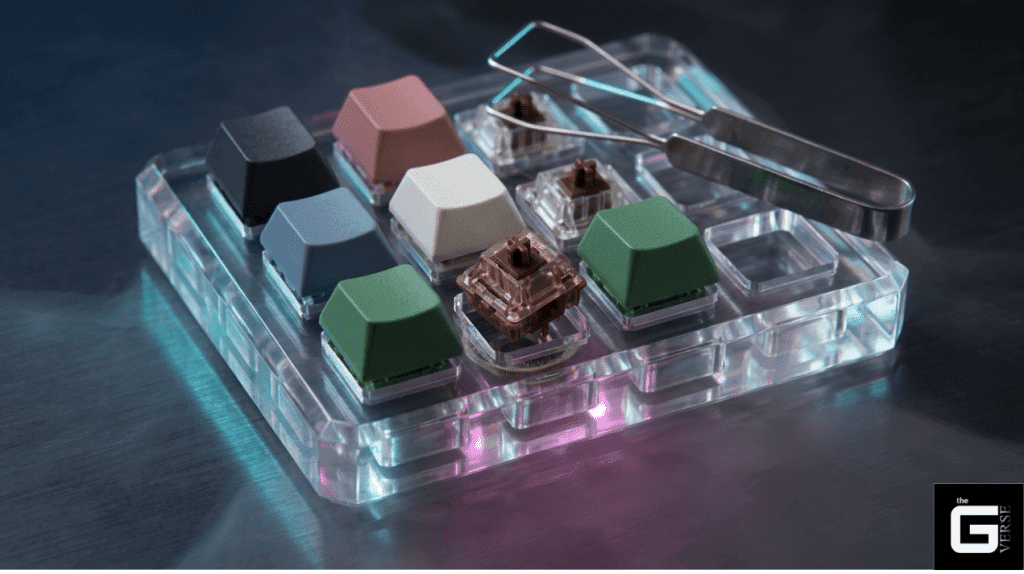
- Acquire a switch sample pack: Purchase a 9-slot or 16-slot acrylic switch tester containing a spectrum of linear and tactile switches across various spring weights.
- Utilize Hot-Swap PCB Technology: Invest in barebones hot-swappable keyboards (such as the GMMK 2 or the Keychron K series). This allows you to use a dedicated switch removal tool to pull switches out and press them into the PCB without a soldering iron, unlocking limitless customization options and rapid prototyping.
- Conduct the “WASD” Test: Buy a 10-pack of heavy tactiles and a 10-pack of light linears. Install them strictly in the gaming cluster (WASD) or the home row (ASDF) and test under load.
The ultimate switch is not the one with the best marketing, but the one whose force-displacement curve perfectly aligns with the biomechanical geometry of the hands using it.